Proposal workflow platform / Case study
Turning scattered sales context into a proposal ready to send.
I designed a connected workflow that carries a lead from discovery, through AI-assisted creation, into a proposal a team can price, review, collaborate on, and deliver.
Portfolio-safe product name / fictional companies and contacts / seeded local data
The brief: 30 flows, 12 days
This was a fast product build, not a redesign. The plan covered onboarding, lead management, AI discovery, proposal creation, approvals, collaboration, client delivery, analytics, integrations, and settings.
We mapped the scope as 30 flows across twelve focused six-hour days. The design challenge was making that much functionality feel like one product, especially when information moved from one area to another.
Planned flows
From first-run setup through client delivery and reporting.
Working plan
Mapped into twelve focused six-hour design days.
Creation paths
AI-assisted when context exists, blank when control matters more.
Connected journey
The product had to preserve context from lead to delivery.
Source: documented feature plan, flow map, decision log, and working local product
The real design risk was losing context
Proposal work begins before the proposal exists. Client requirements may live in a CRM record, a call note, a file, a pasted brief, a link, or someone’s memory. Every transition creates a chance to lose context or ask the user to enter it again.
Inputs arrived in pieces
Lead data, files, links, notes, budget, timeline, and team knowledge all shaped the proposal.
AI could not own the result
A first draft could be assisted, but scope, pricing, approval, and delivery needed human control.
The proposal kept changing
Comments, permissions, financials, workflow, versions, and client delivery all continued after creation.
The proposal became the shared working object, connecting lead context, content, decisions, and delivery.
One path from lead to client
I used the handoffs between screens to decide what each step needed to carry forward. Four questions kept the workflow practical.
- What do we already know about this client?
- What still needs discovery before a useful draft exists?
- What needs an explicit human decision?
- What must happen before this can reach the client?
That produced one connected sequence through the product:
Lead, documents, notes, links
AI-assisted or blank proposal
Edit, price, assign, review
Preview, approve, send, export
The product decisions
The main decisions were about continuity: keeping context visible, keeping the user in control, and making the proposal useful after the first draft.
Decision 01
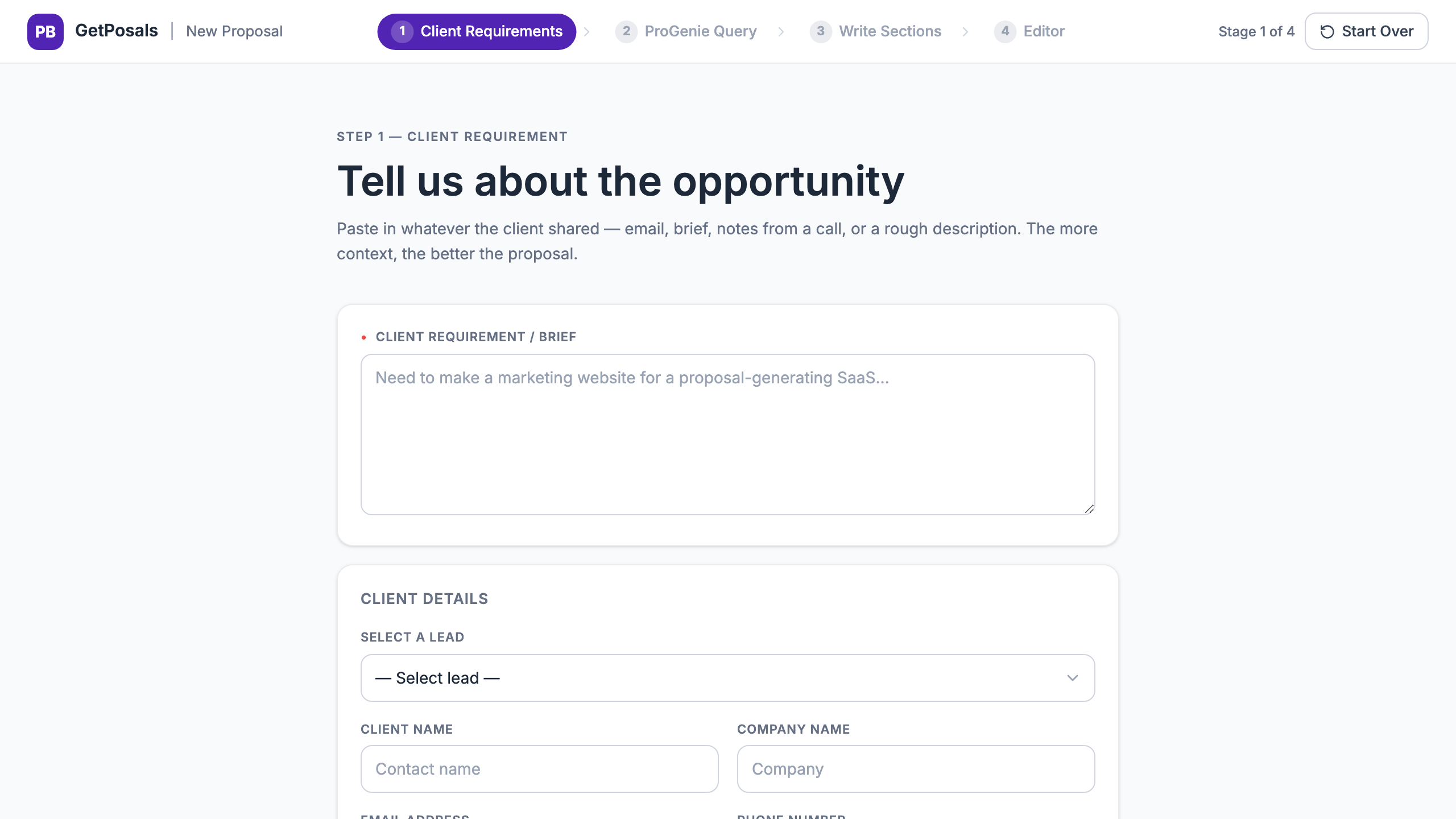
Carry the lead into the proposal
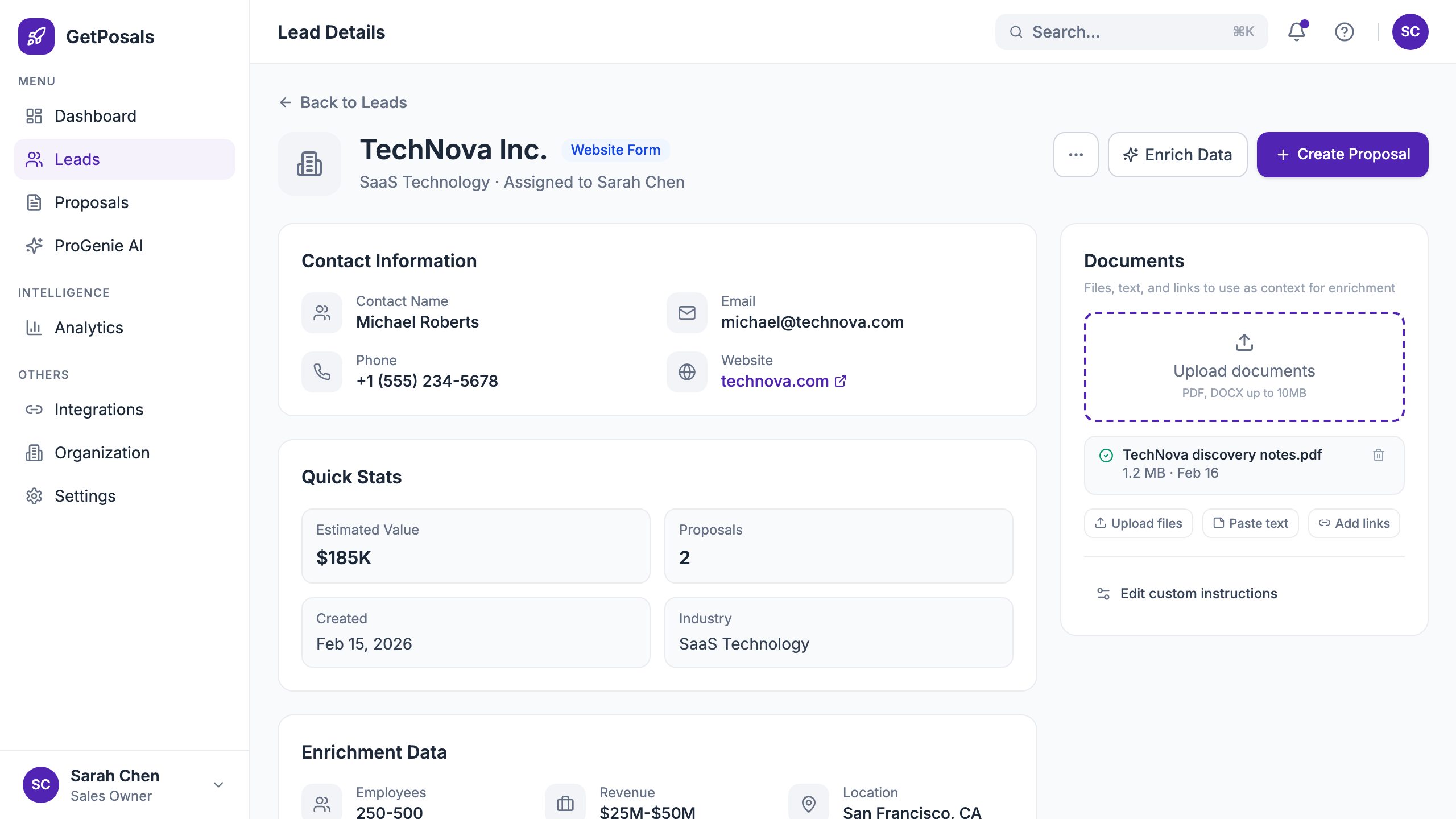
A proposal started from a lead keeps the company, contact, value, and supporting documents. The user does not have to reconstruct the client brief in another part of the product.
The creation menu then asks one meaningful question: should GetPosals help structure a first draft, or should the user begin blank?
Decision 02
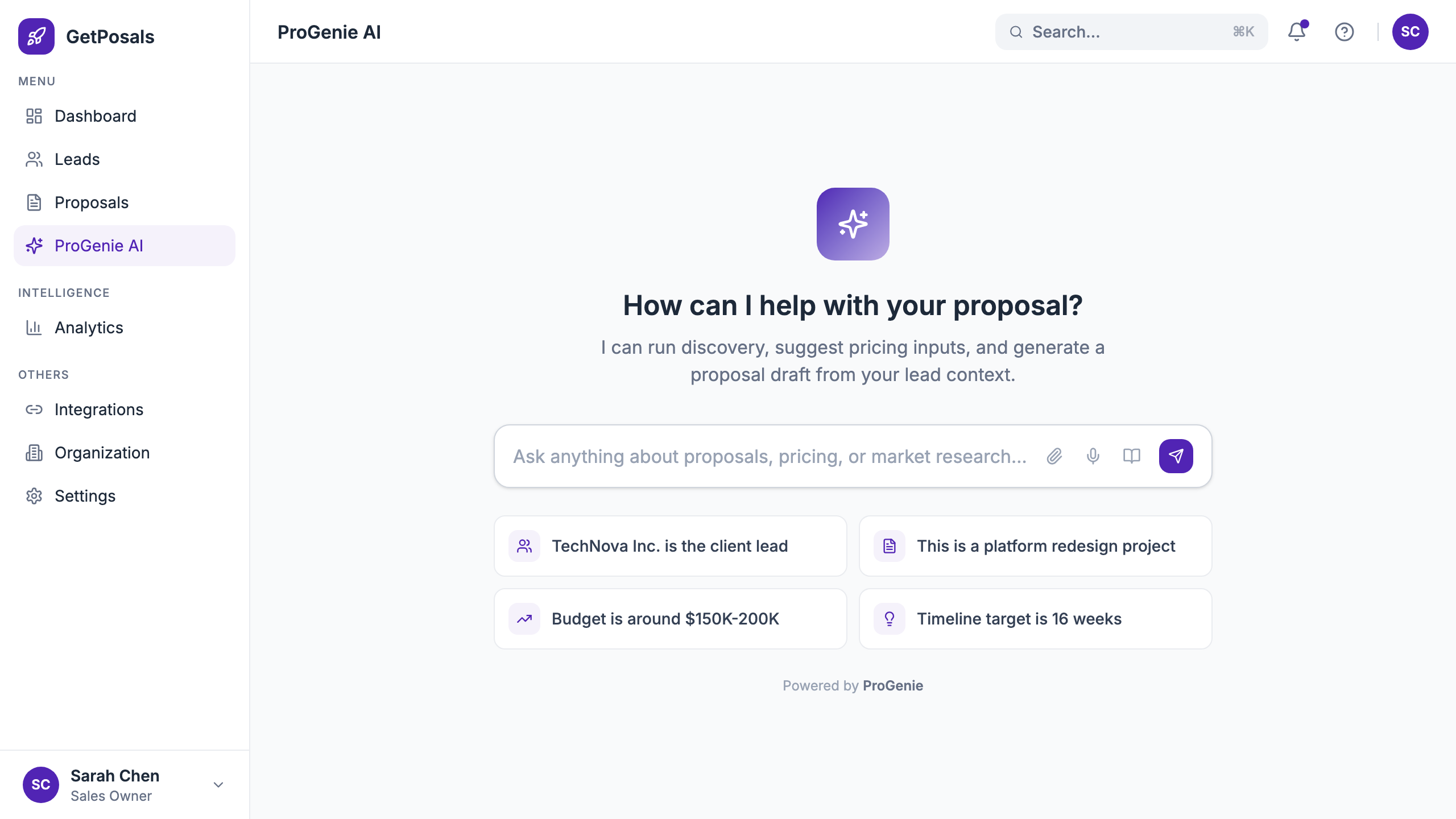
Make AI assistance inspectable
ProGenie accepts lead documents, uploaded files, pasted text, links, and custom instructions. Those inputs remain visible beside the discovery conversation.
The output becomes structured, editable proposal sections. AI reduces the blank-page problem; it does not lock the user into generated copy.
Decision 03
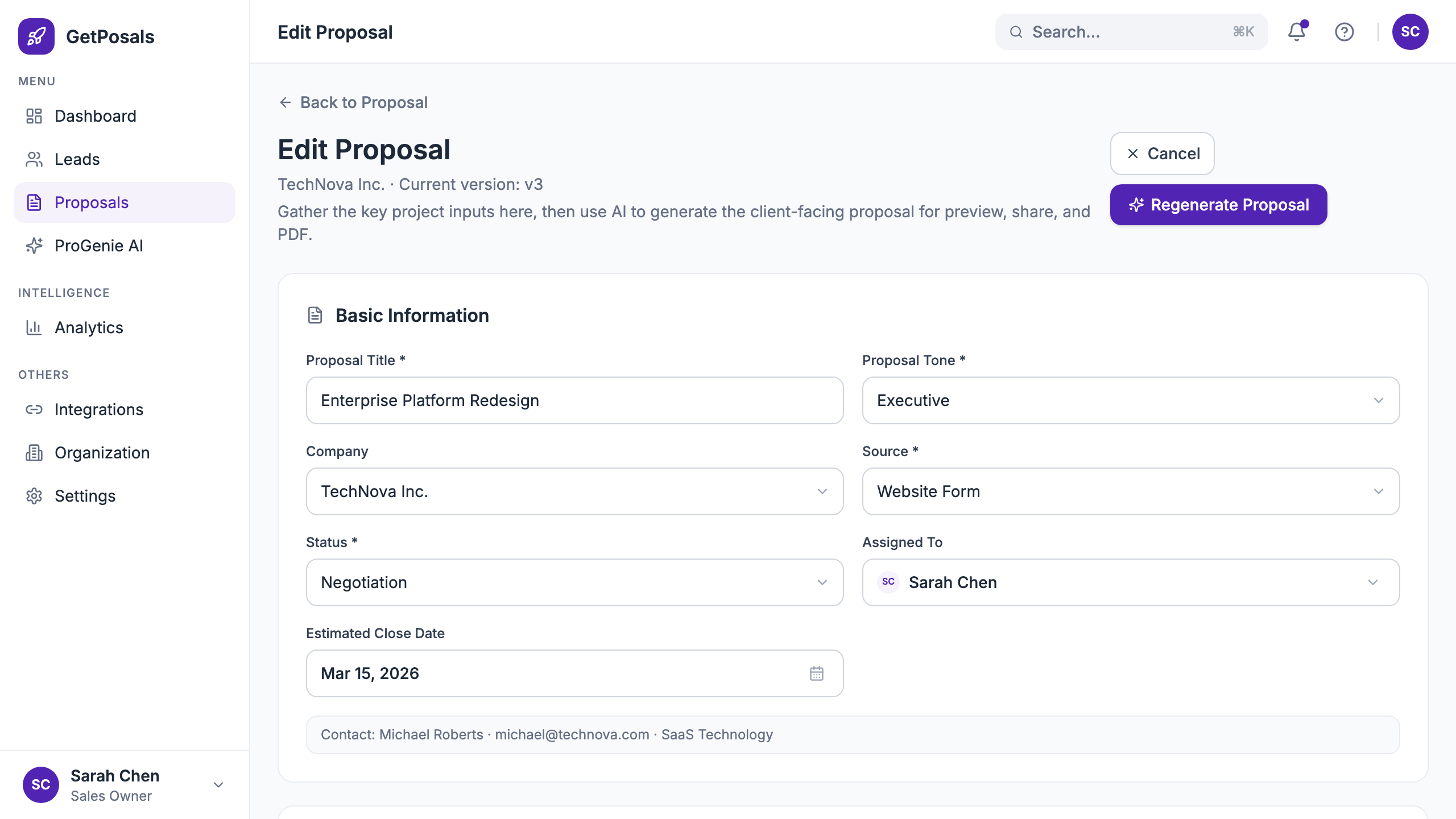
Turn proposal detail into the operating surface
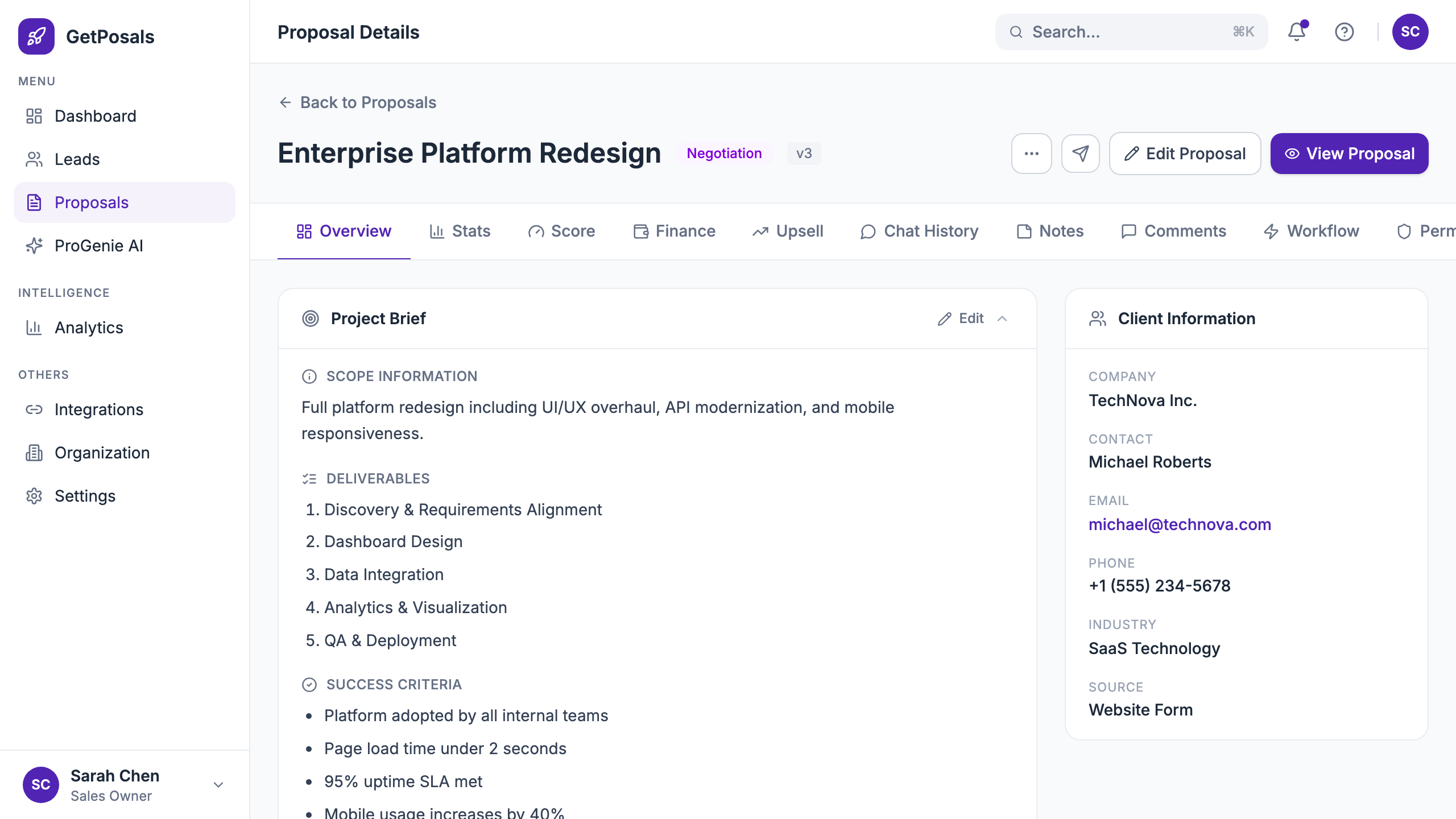
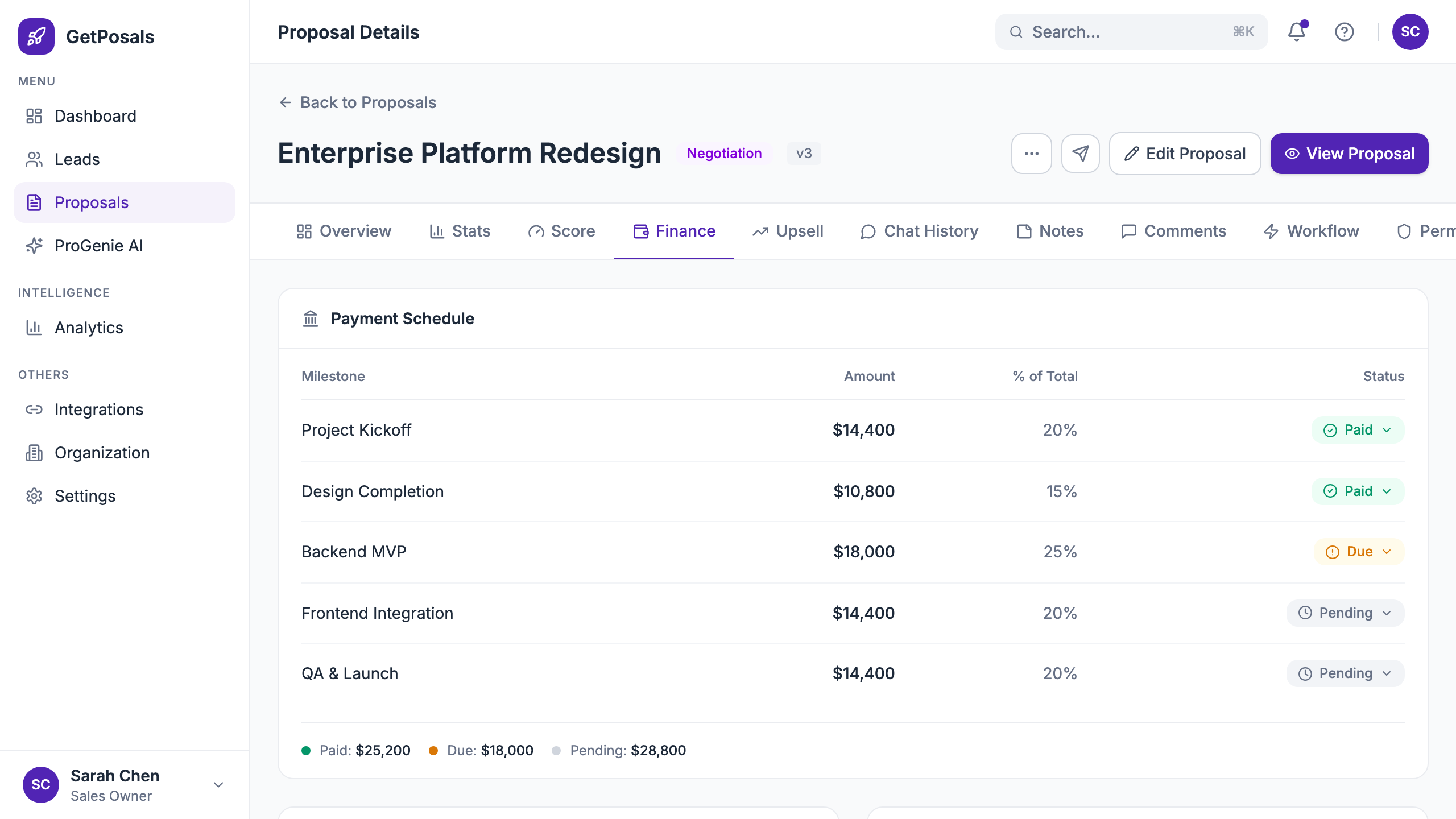
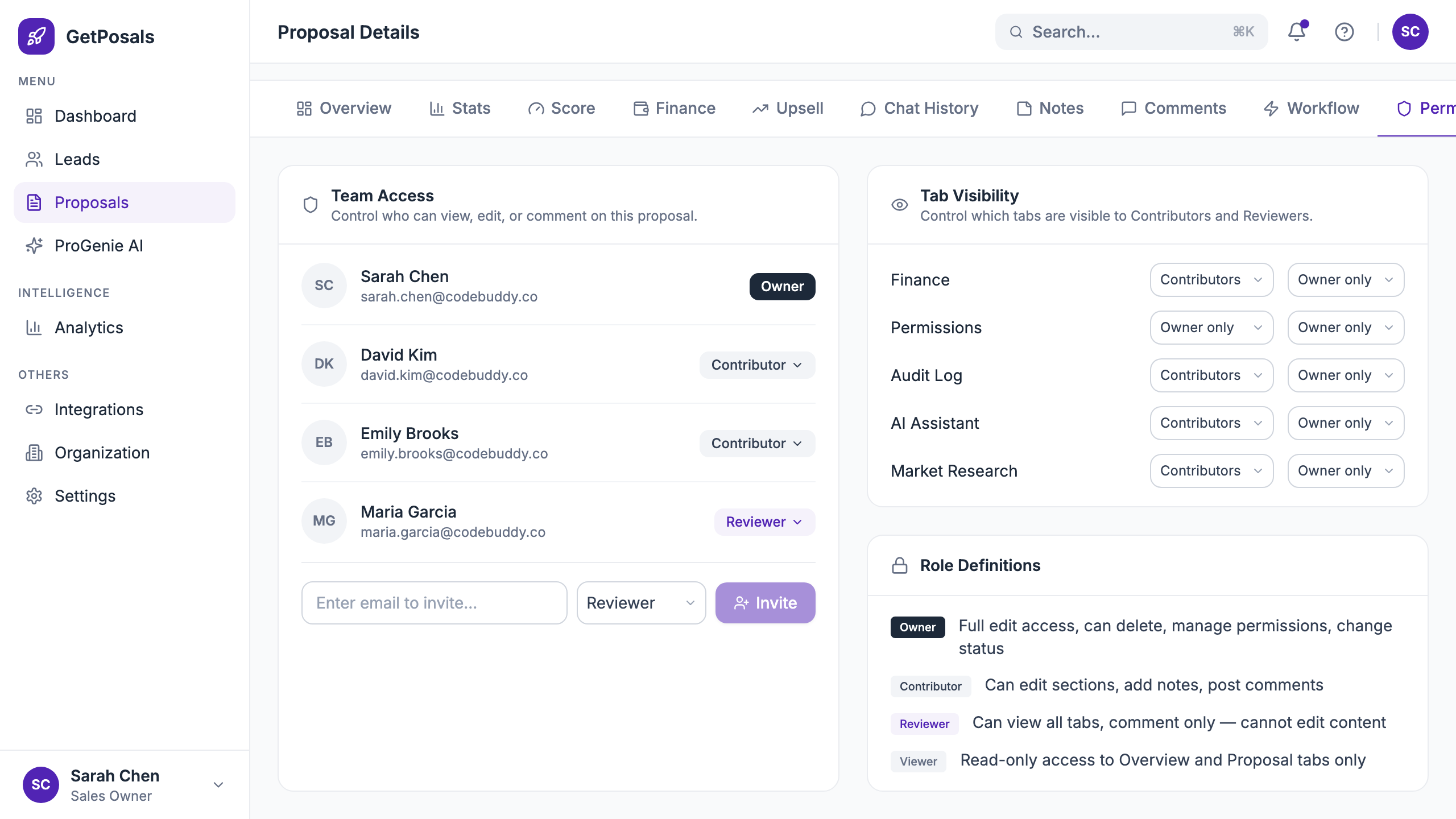
The proposal is not finished when the draft exists. The detail page brings the project brief, client, team, score, financials, comments, workflow, permissions, research, and AI support into one persistent context.
I kept the project brief and client information primary. Supporting intelligence sits in tabs instead of competing with the proposal’s core shape.
Decision 04
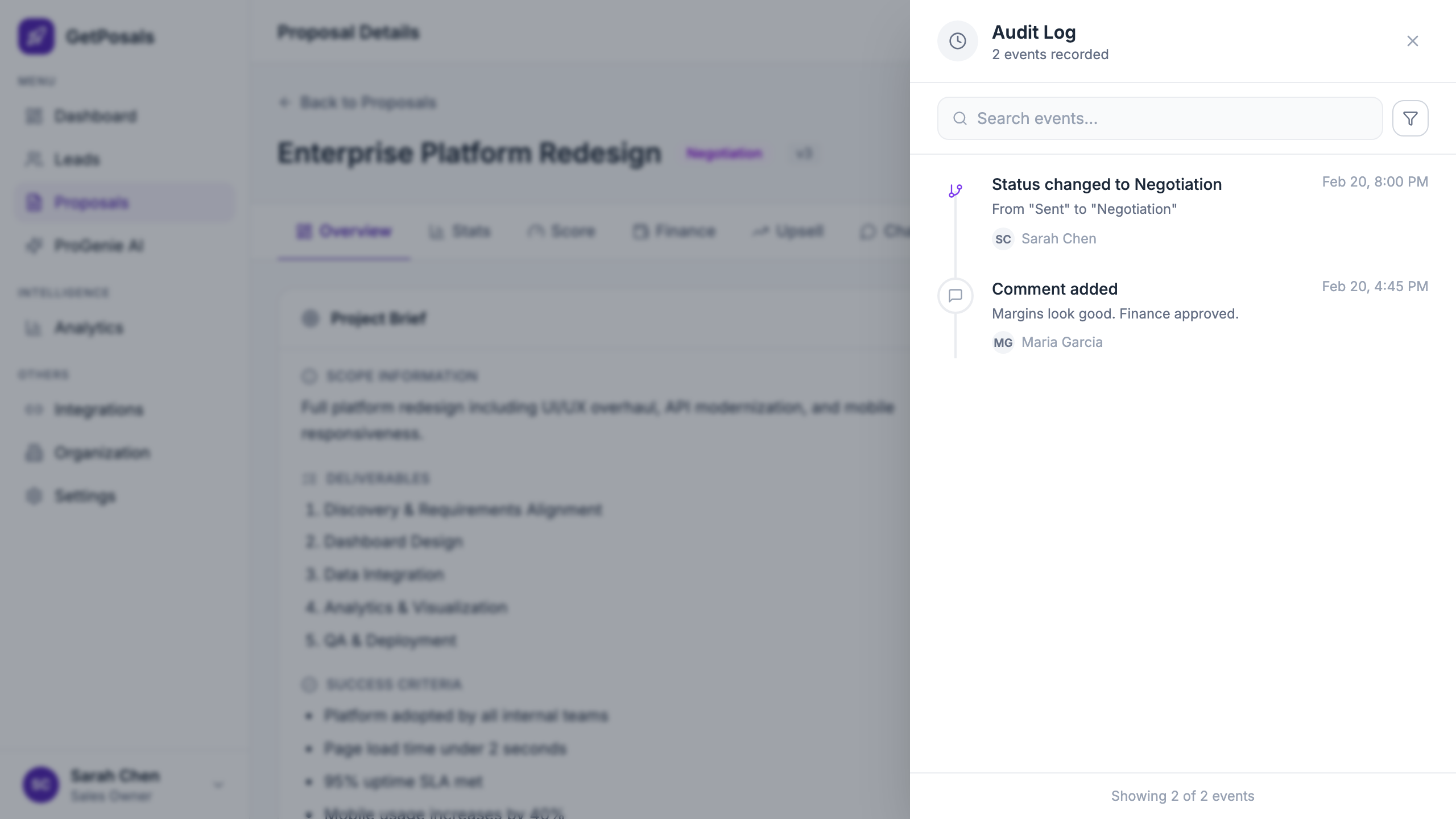
Make collaboration visible and auditable
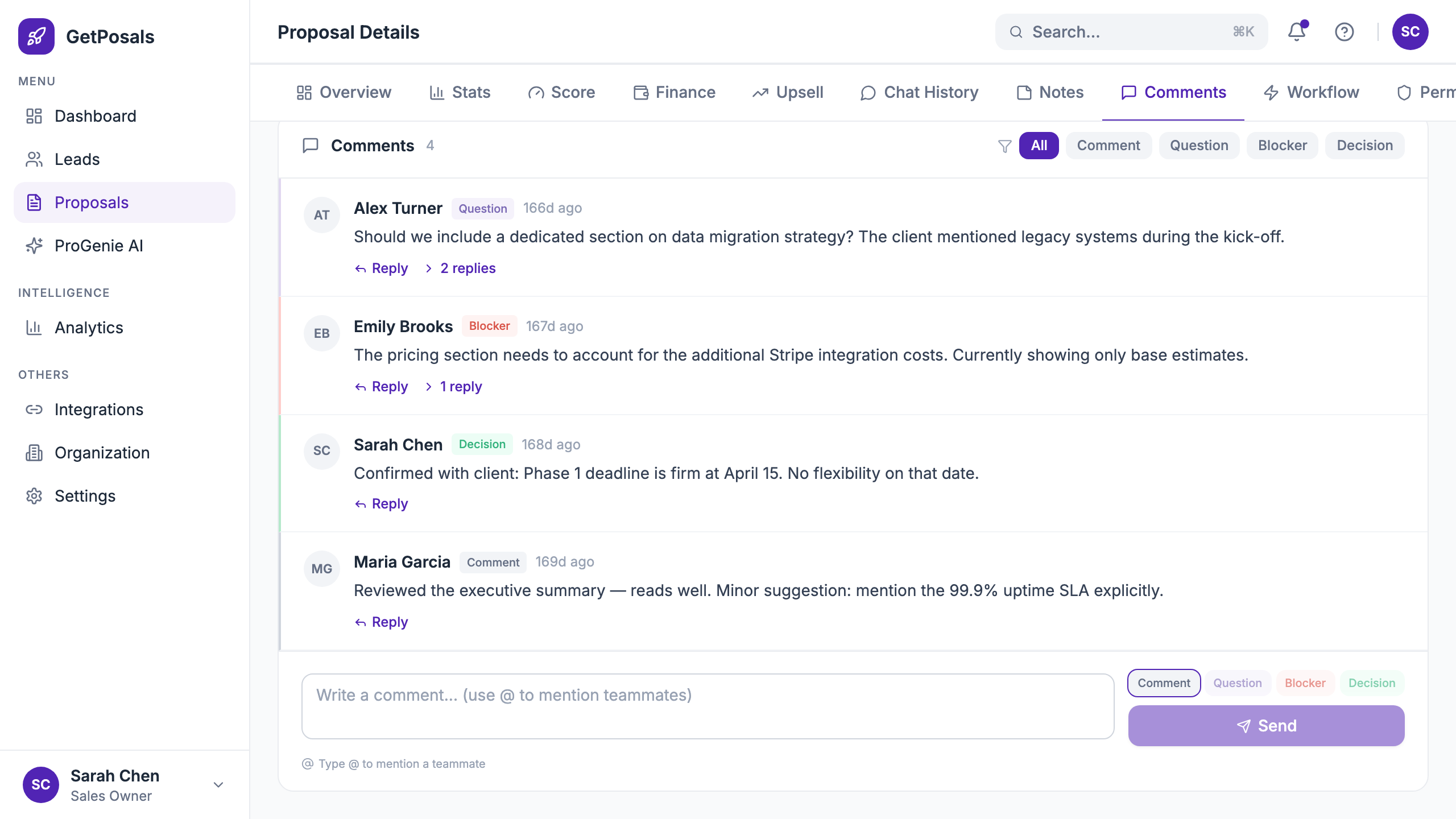
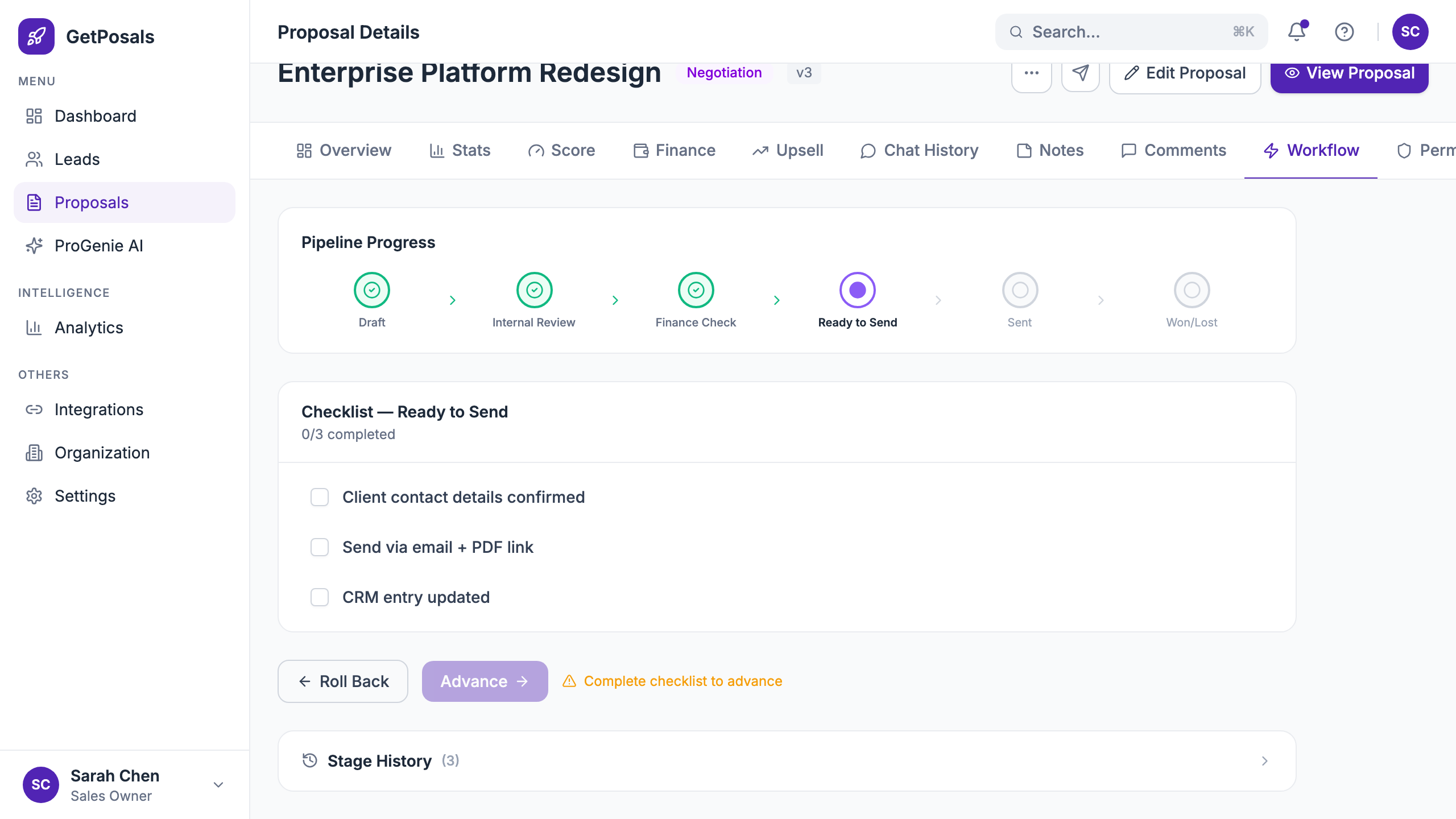
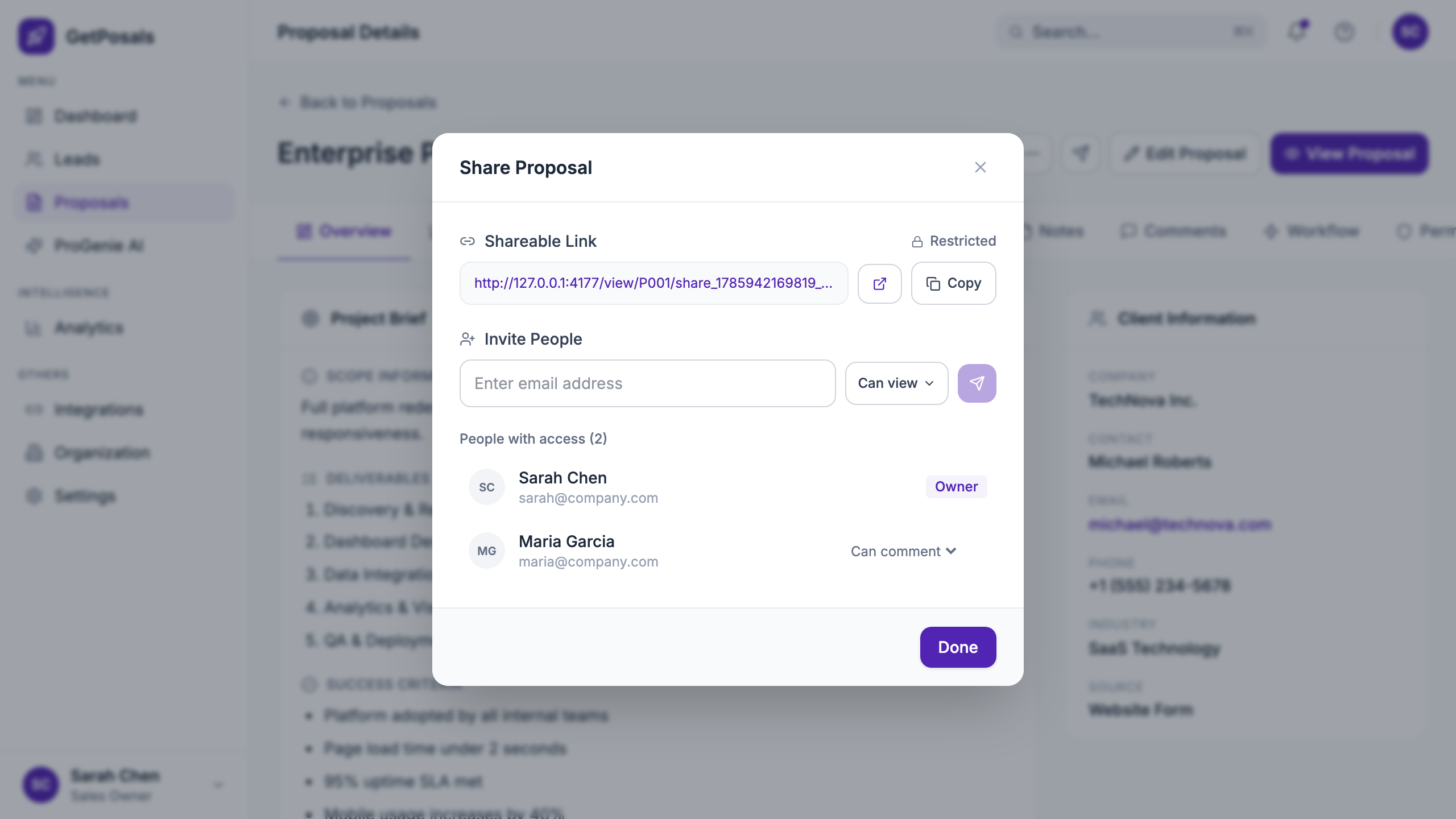
Comments, mentions, permissions, and workflow are separate concerns, but they belong to the same proposal. Each has a focused surface without losing the shared proposal header.
The design distinguishes conversation from process: comments capture discussion, while workflow automation shows triggers, conditions, and the next operational step.
Decision 05
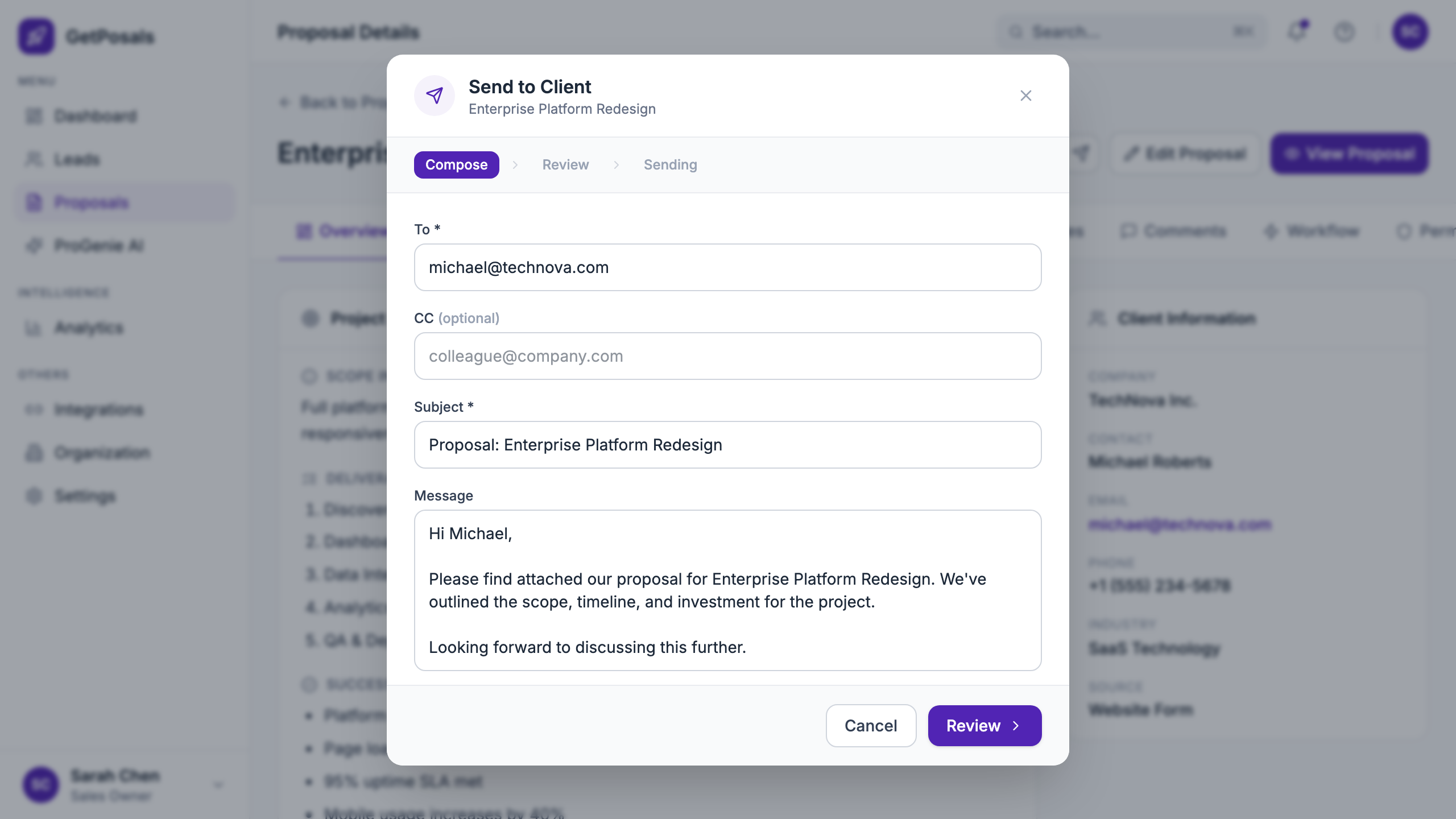
Design delivery as a reviewed state
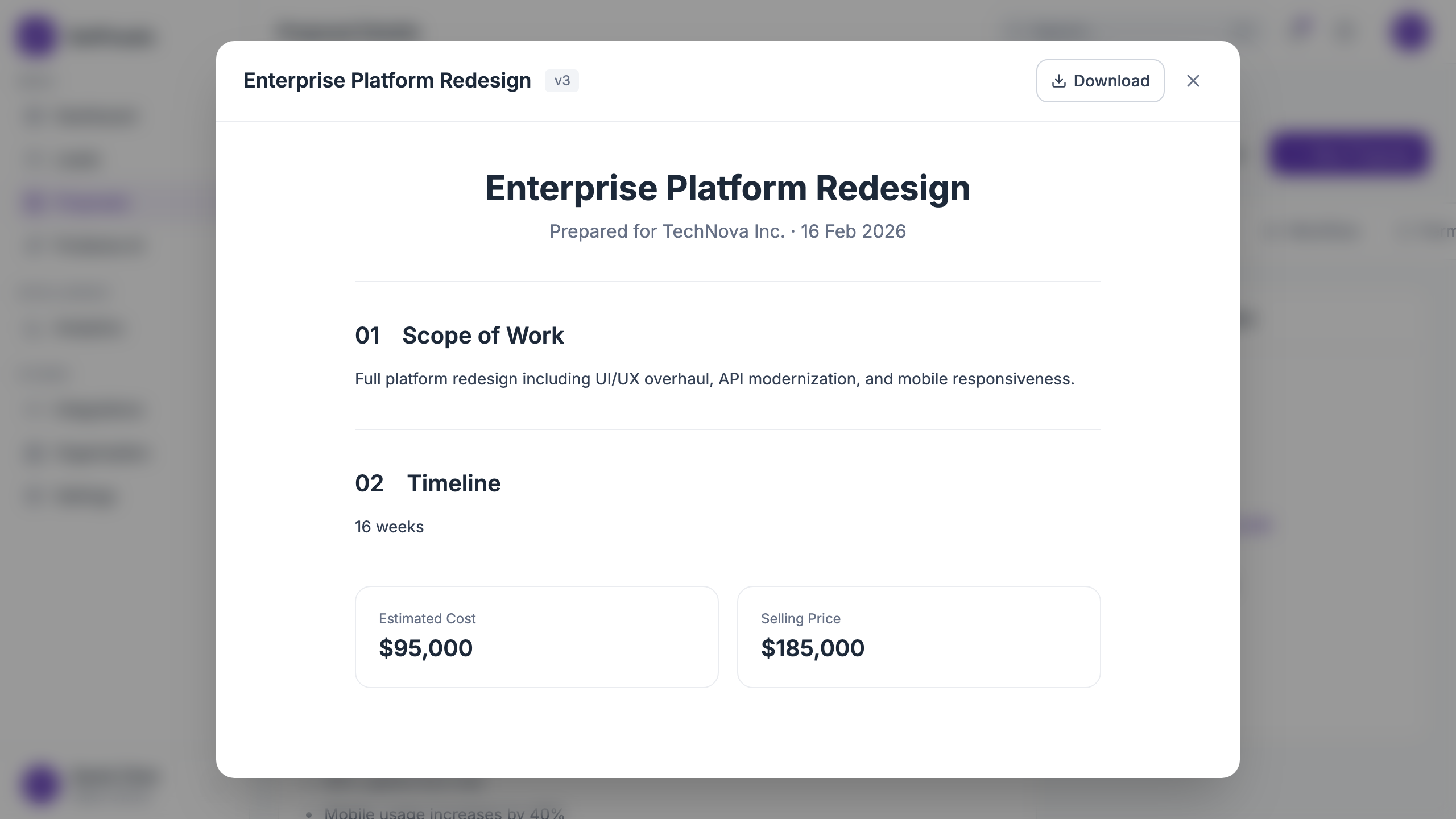
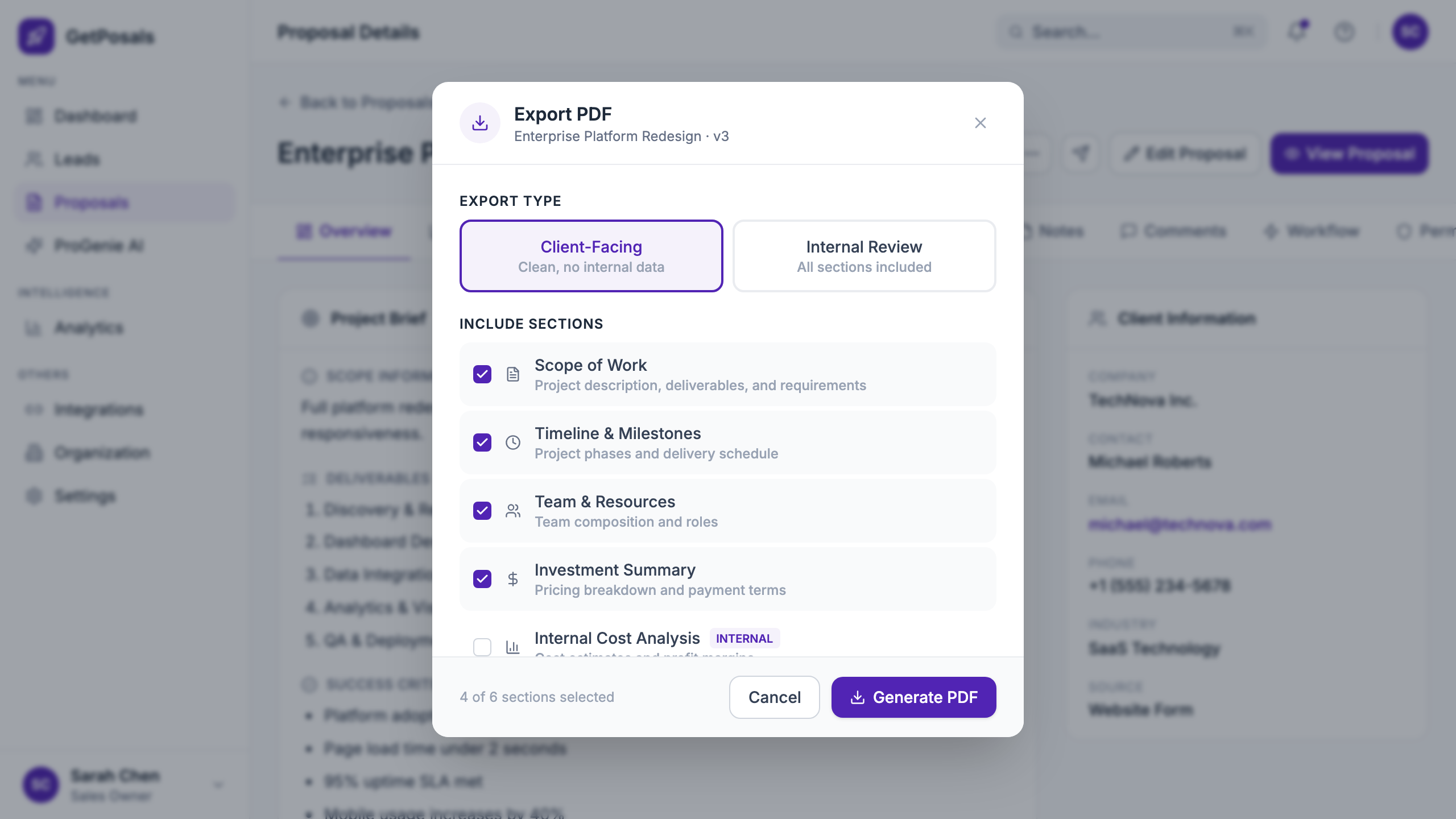
Before sending, the team can preview the client-facing proposal as a complete document. Internal controls recede and the content becomes the thing under review.
Delivery continues through compose, review, sending, success, sharing, signature, and export states. The interface never treats “generated” as “ready.”
The proposal was the end product
The product starts with internal sales context, but its output is external. The final proposal has to translate discovery, scope, team, timeline, and commercial detail into something the client can understand.
The preview below is important because it tests whether the internal workflow actually produces a coherent document—not merely whether each input screen works.
What we delivered in 12 days
The outcome was a connected, working proposal workflow and a documented system the team could continue building. The work covered the path from onboarding and lead capture through creation, review, collaboration, and client delivery.
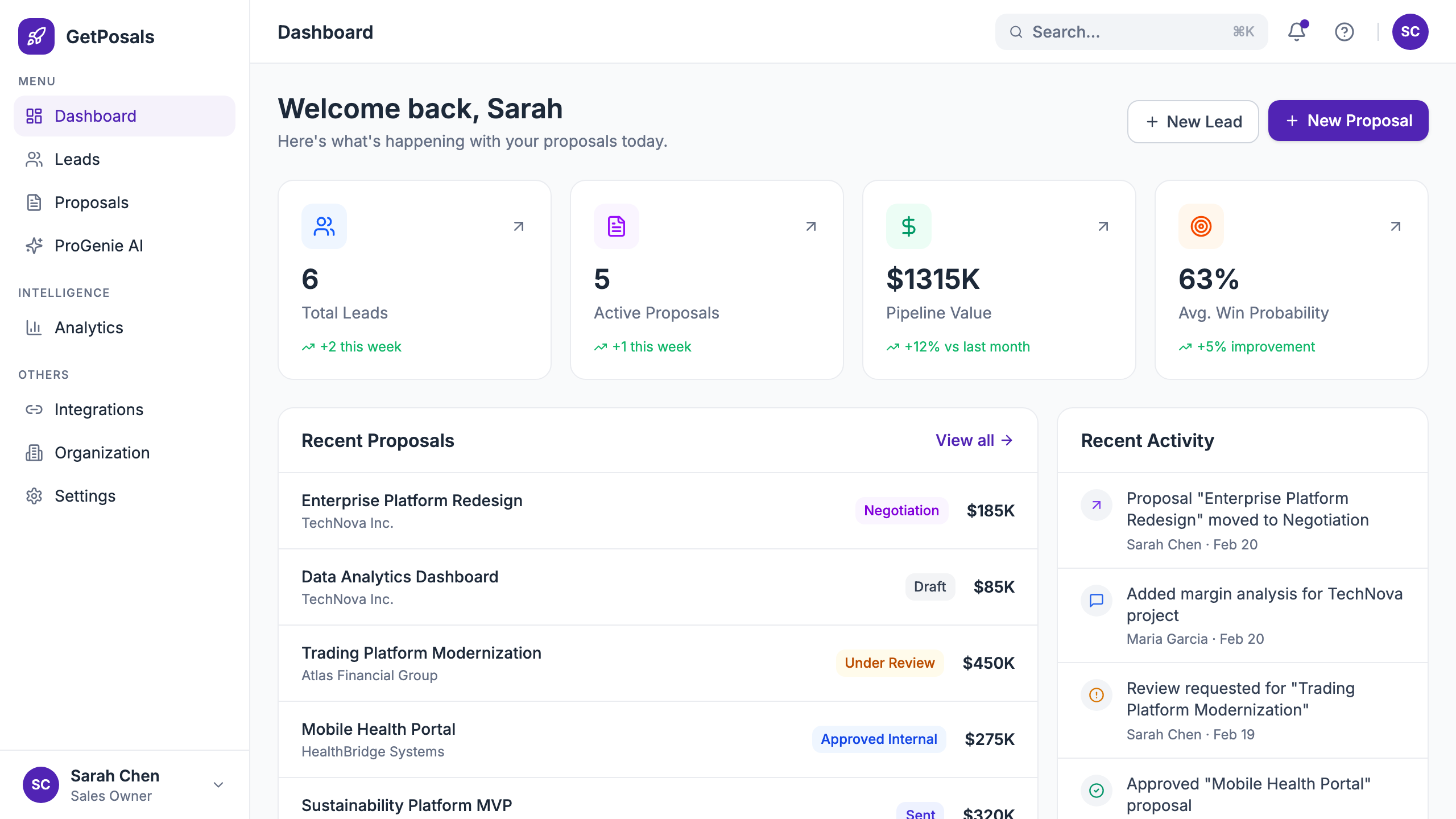
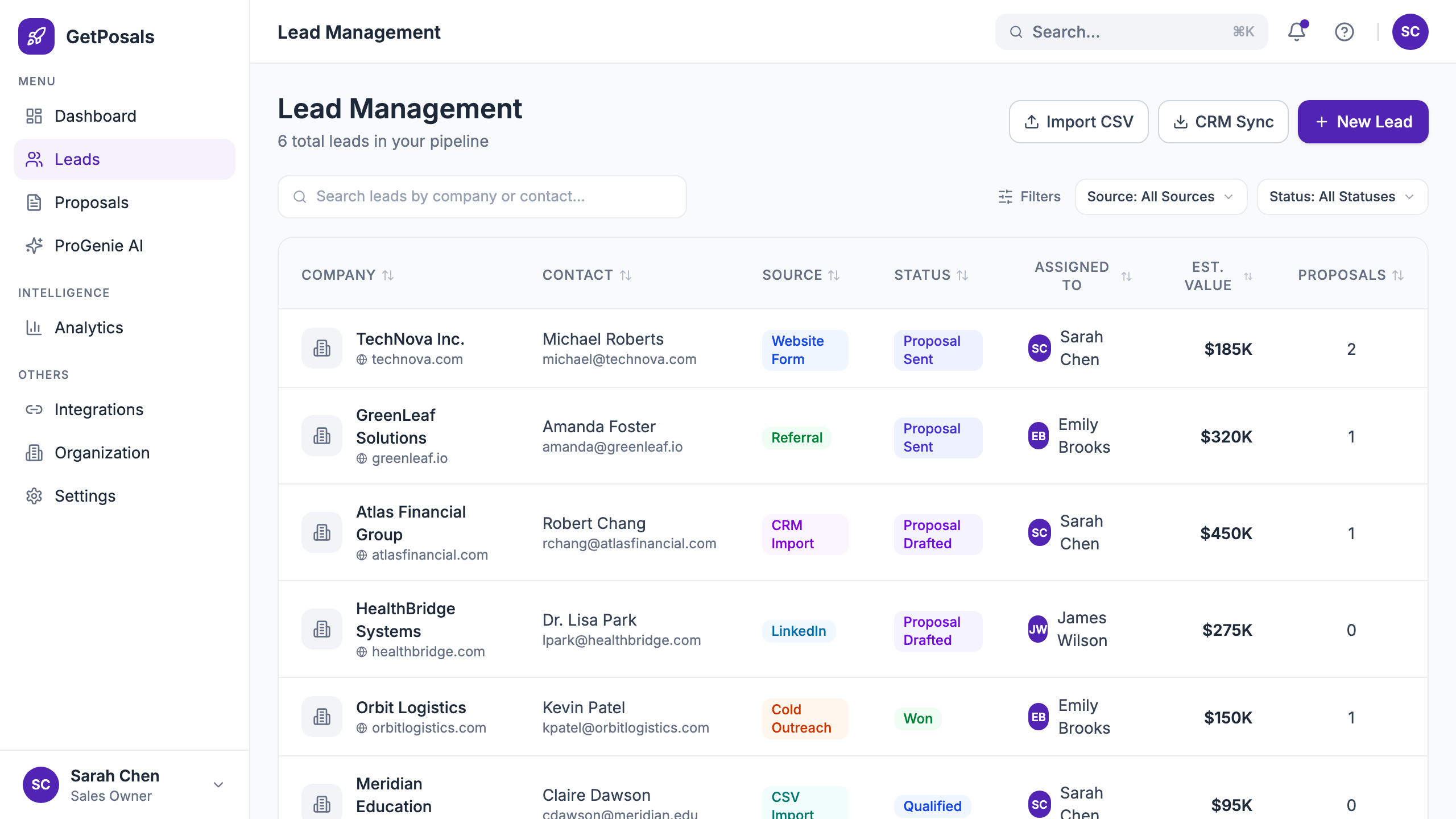
Onboarding, dashboard, leads, proposals, AI discovery, analytics, integrations, and settings.
From overview and finance to collaboration, workflow, permissions, research, and AI support.
A grounded AI-assisted route and a faster blank route, both resolving into the same editable proposal.
The difficult part was preserving the thread
Fast projects make it easy to optimise one screen at a time. This work reinforced that product quality lives in the transitions: what context survives, what choice appears next, and whether the user still owns the result.
AI was most useful when it reduced the blank-page problem. The proposal still needed to feel owned by the person sending it.
The interface, all together
The product is broader than the proposal editor. These views show the operating system around it—from pipeline overview and lead context to collaboration and delivery.