Mentorship LMS / portfolio reconstruction
A solo mentor cannot teach well if operations consume the day.
I designed a two-sided learning system where routine work moves forward automatically, important decisions stay with the mentor, and students always know what to do next.
Portfolio-safe product label / client-branded pilot / simulated AI / seeded local data
The operating problem
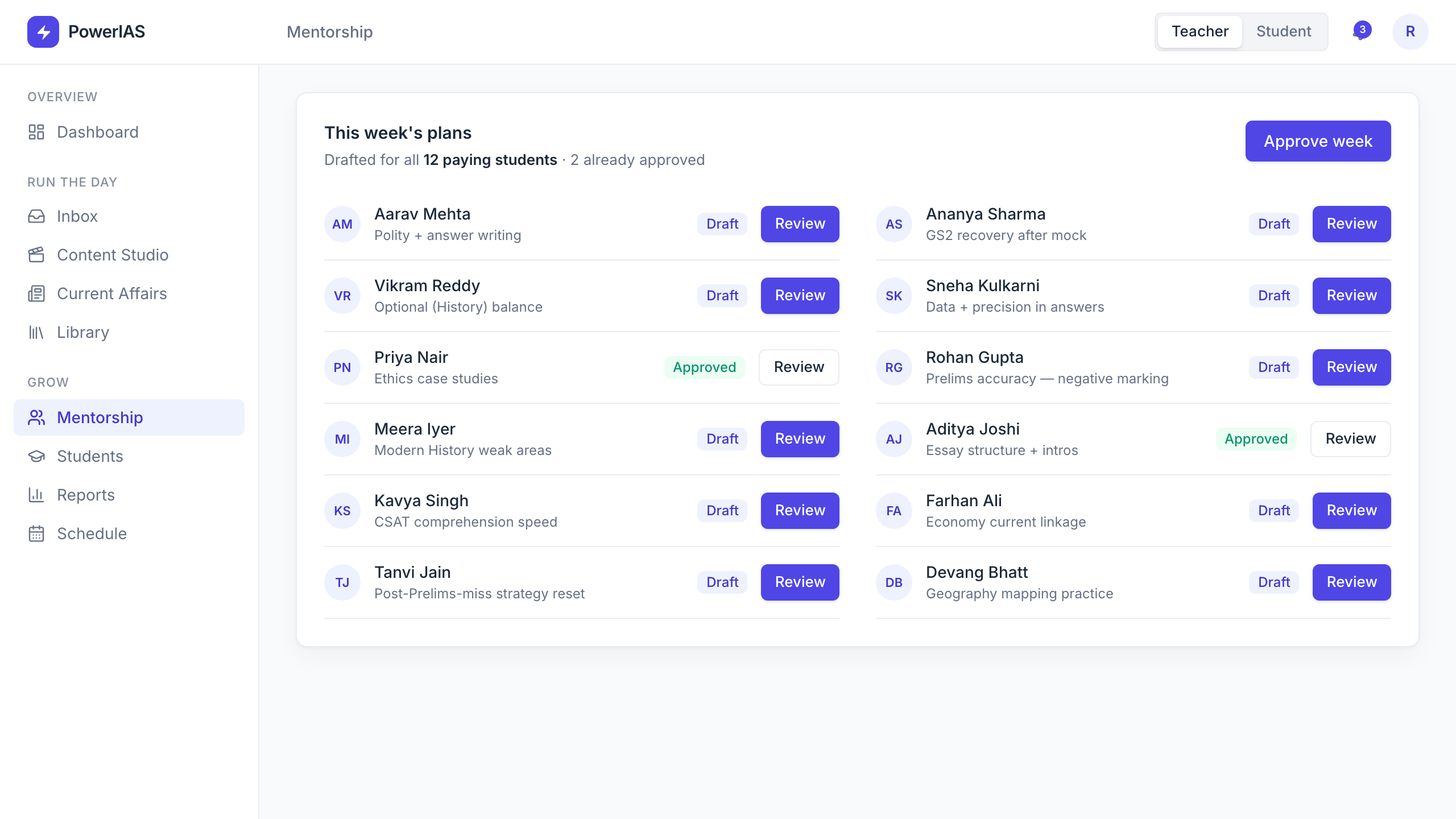
The pilot began with one solo mentor trying to run an entire learning business: teaching, answering doubts, reviewing Mains answers, publishing current affairs, planning student work, scheduling events, and managing content.
The design goal was not to add another dashboard to that workload. It was to create leverage without making the mentor surrender judgment on the work students trust most.
Connected roles
A teacher operating system and a student learning workspace.
Solo operator
The product had to reduce routine coordination, not create more administration.
High-trust moments
Doubts, answer evaluation, and mentorship needed visible human oversight.
Working modules
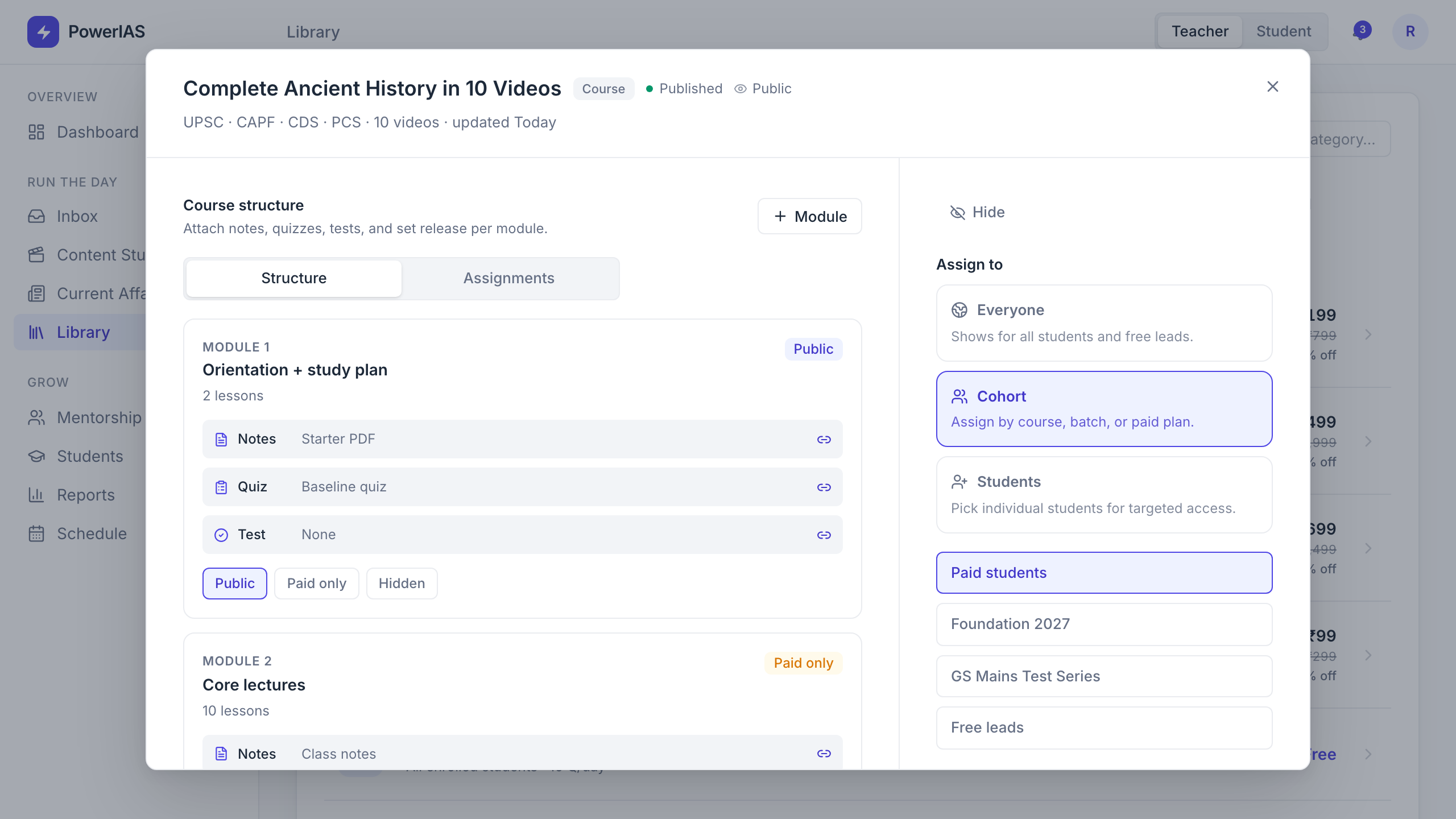
Teacher and student surfaces built into one high-fidelity pilot.
Source: product PRDs, design specification, repository history, and the working local pilot
The tension was leverage versus trust
Routine work kept multiplying
Inbox triage, content preparation, schedules, and progress checks competed with teaching time.
Not every task should disappear
Students needed to see where the mentor reviewed, approved, or added the final point of view.
Both sides needed the same truth
Plans, tests, evaluated answers, events, and resources had to stay aligned across teacher and student views.
The product should feel like work has already moved forward, with the mentor stepping in where judgment matters.
One system, two sides
I treated teacher and student views as two sides of the same operating loop. Every important action on one side needed a clear consequence on the other.
- What can the system prepare safely?
- What still needs the mentor's judgment?
- What should the student see next?
- How does that response return as useful evidence?
Draft, organise, triage
Mentor checks high-trust work
Student studies, attempts, asks
Progress informs the next plan
Product decisions
Decision 01
Show completed work before the queue
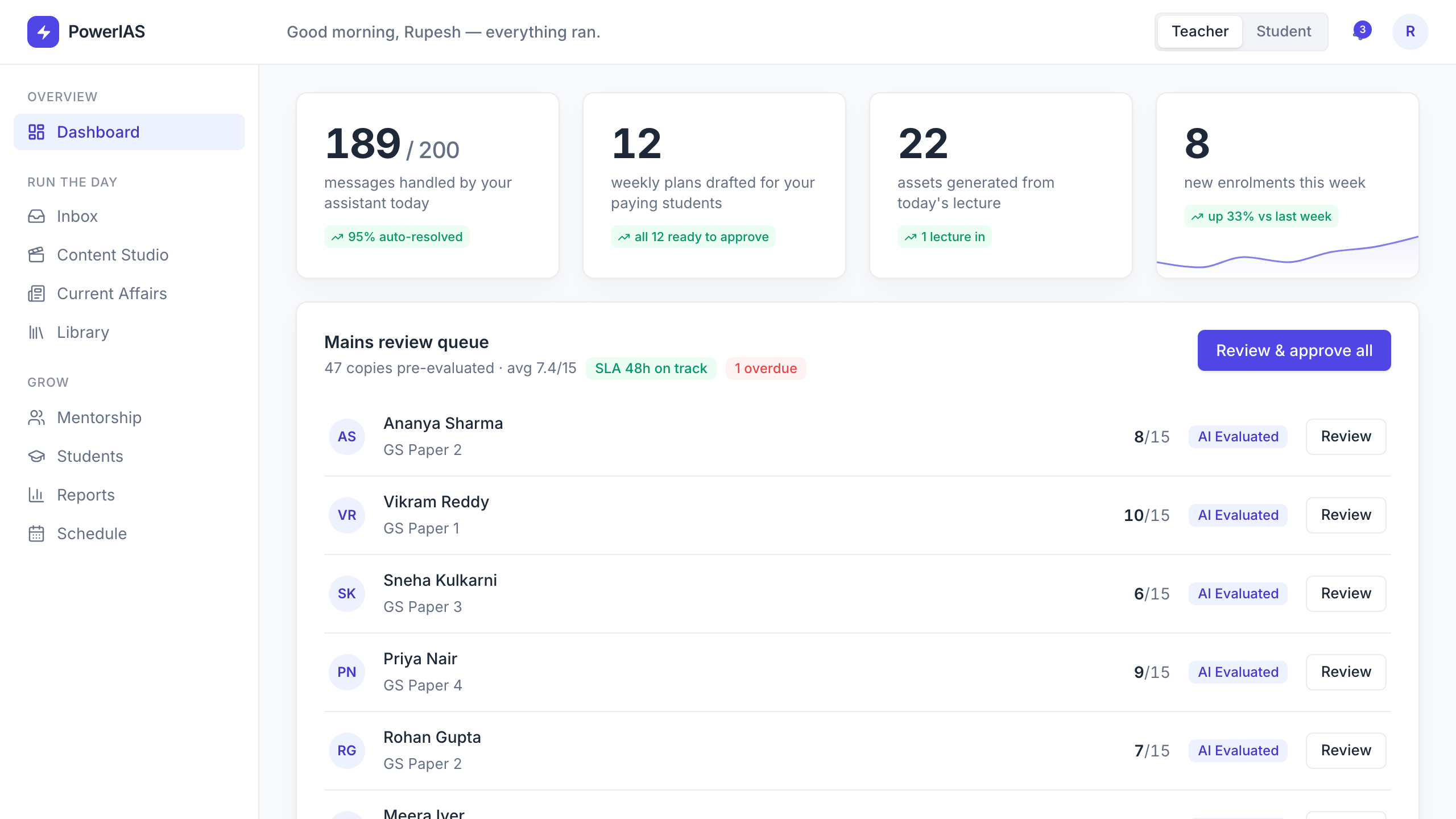
The teacher should not open the product to another wall of tasks. The dashboard begins with evidence of what the system already handled, then narrows attention to exceptions and reviews.
Decision 02
Make AI assistance reviewable
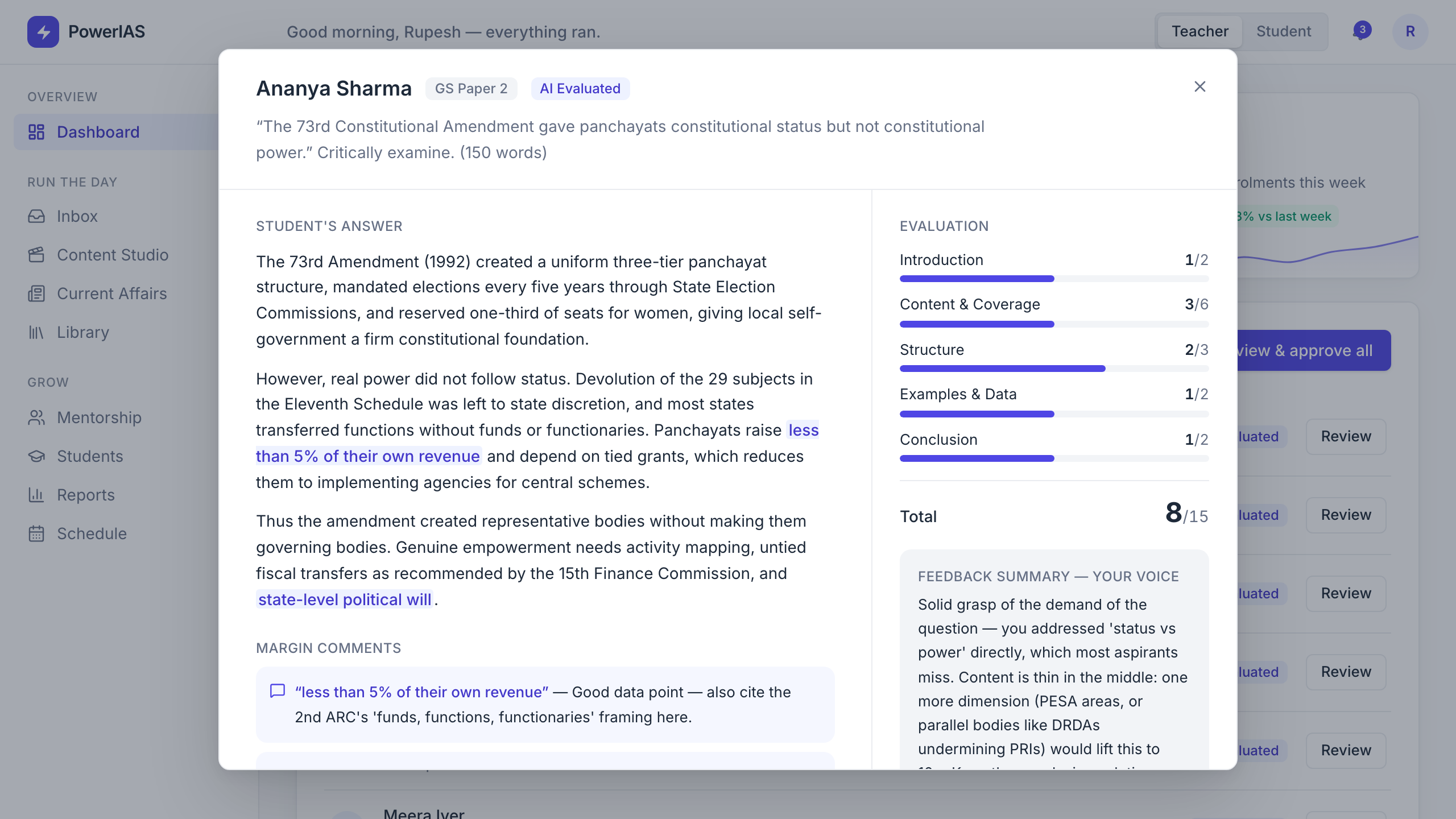
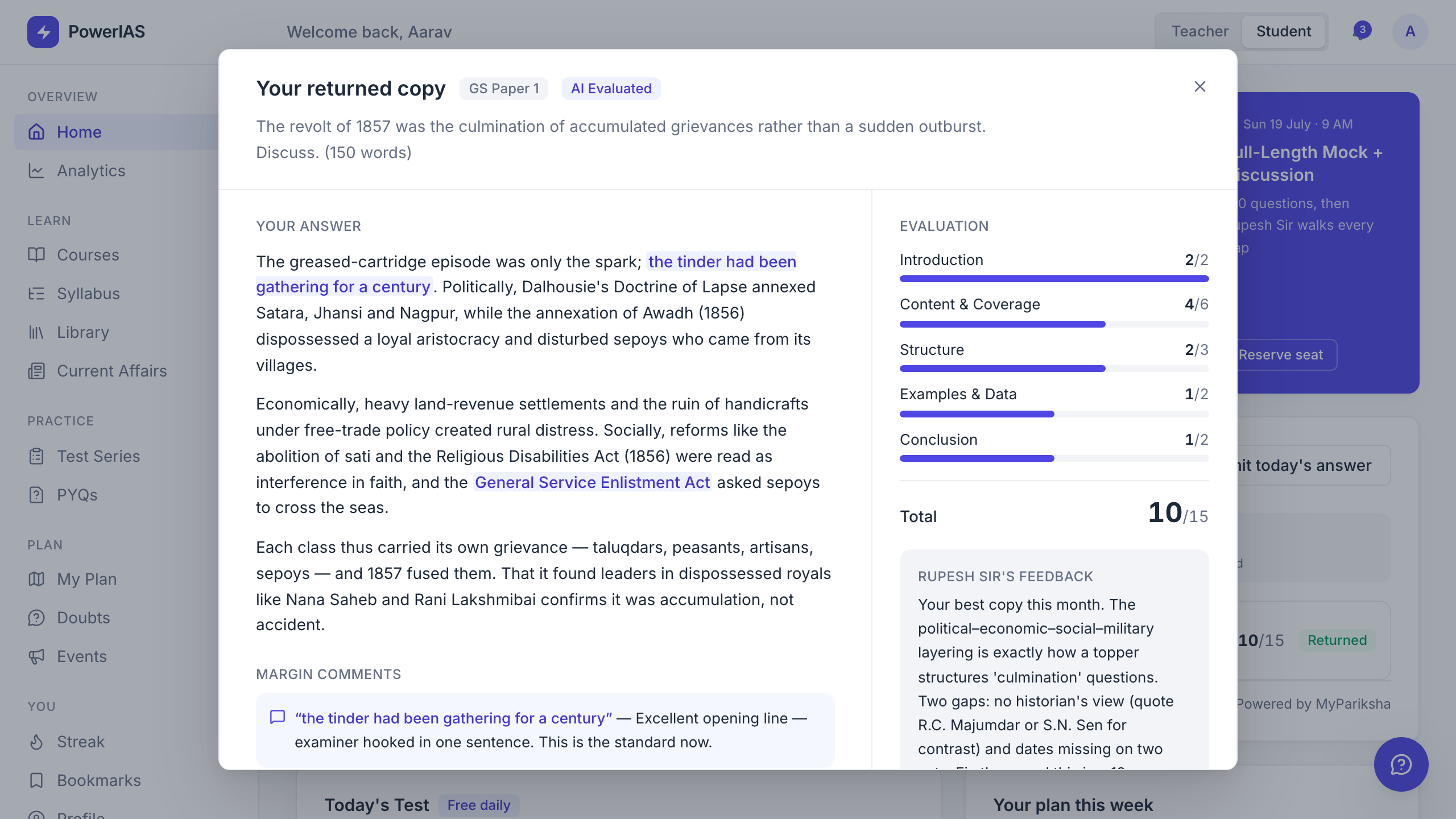
Mains evaluation is a trust-heavy moment. The system can prepare rubric scores and margin comments, but the mentor sees the student's answer beside the feedback and explicitly approves the return.
Decision 03
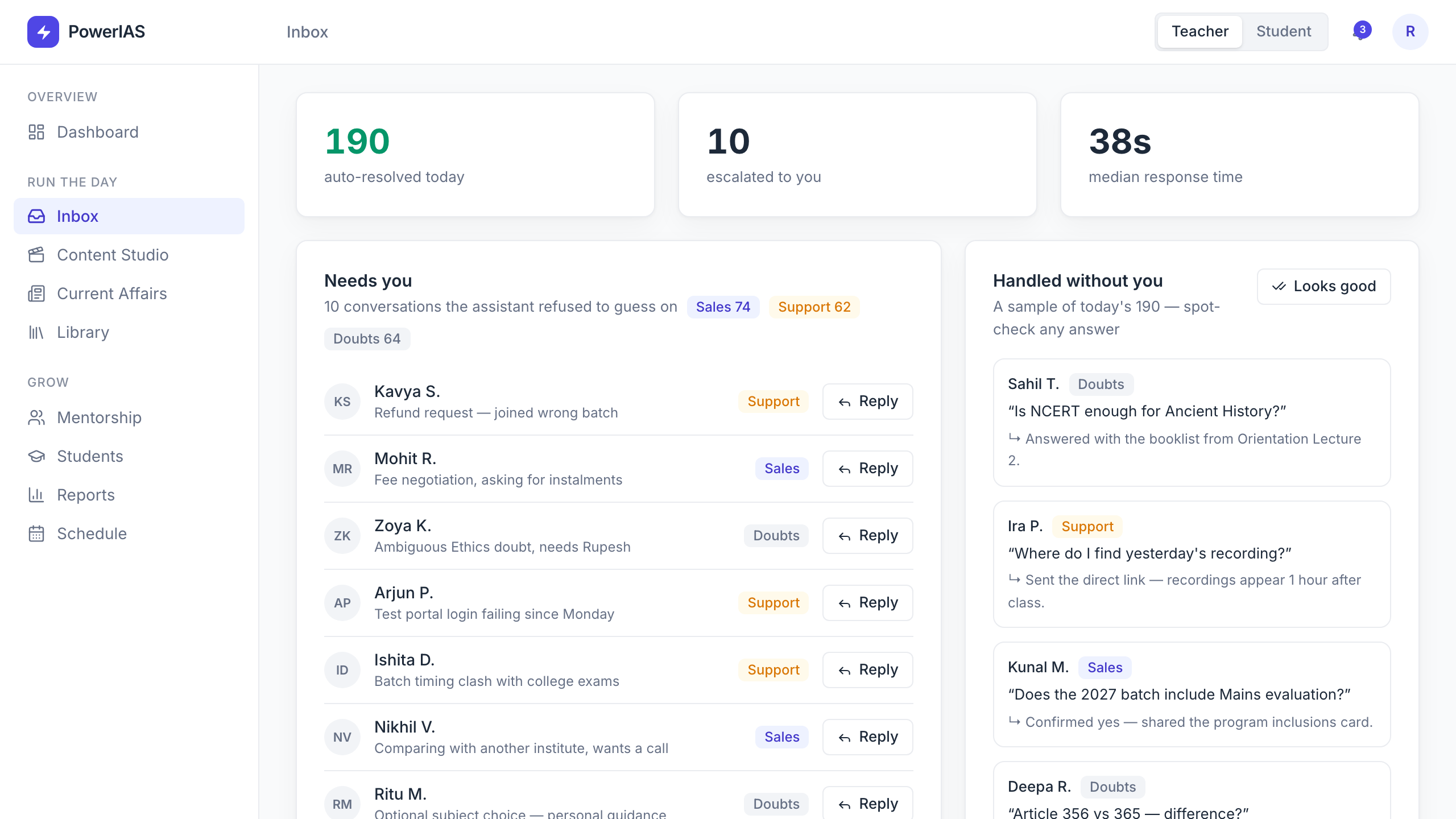
Turn the inbox into a triage system
Student messages vary in urgency and risk. The inbox separates answered, drafted, and mentor-needed states so routine support can move quickly without hiding escalations.
Decision 04
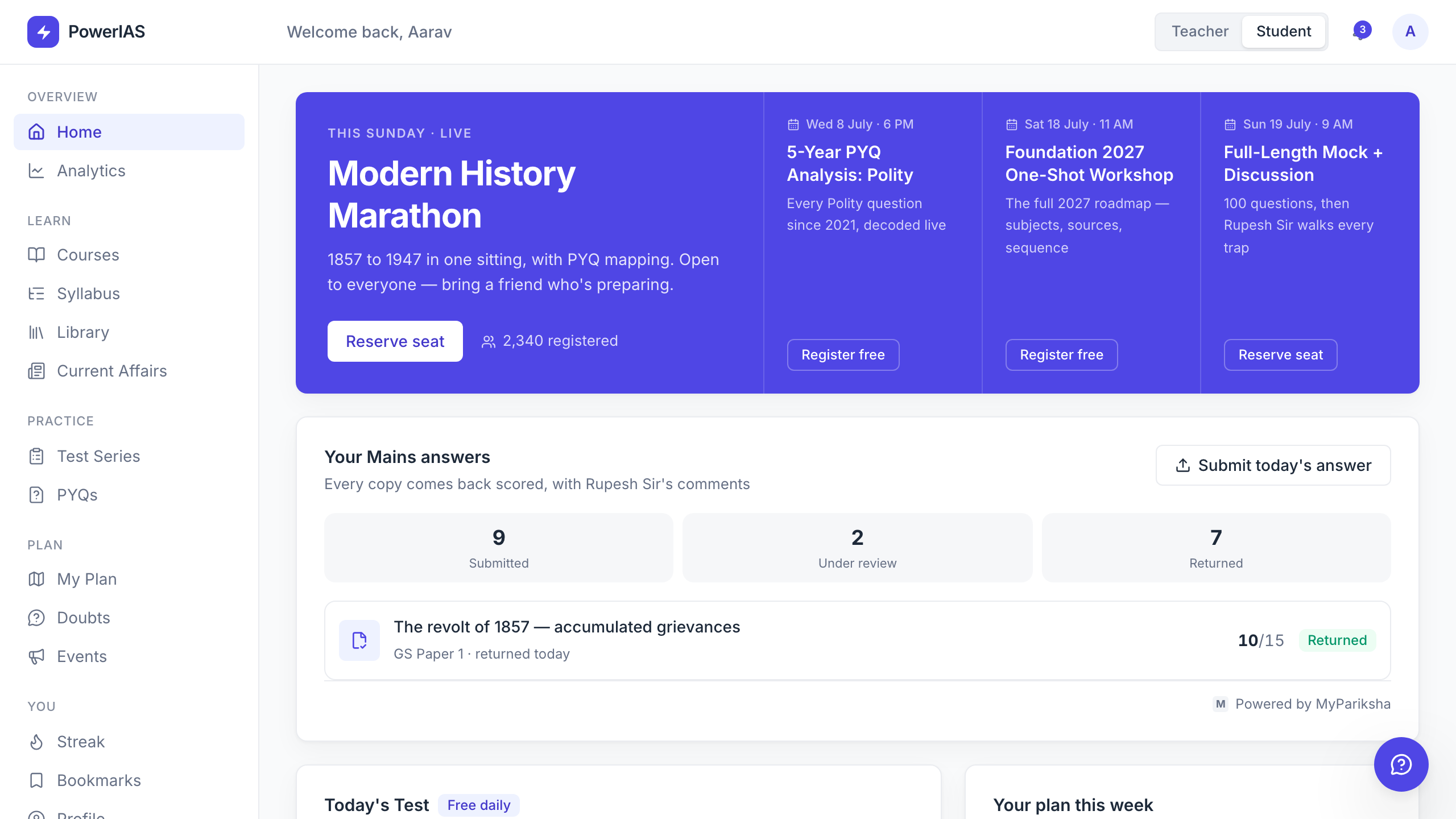
Give students a next action, not a menu
The student home prioritises today's test, current plan, upcoming events, returned work, and current affairs. Broad navigation remains available, but the first screen answers one practical question: what should I do now?
Decision 05
Connect content to progress
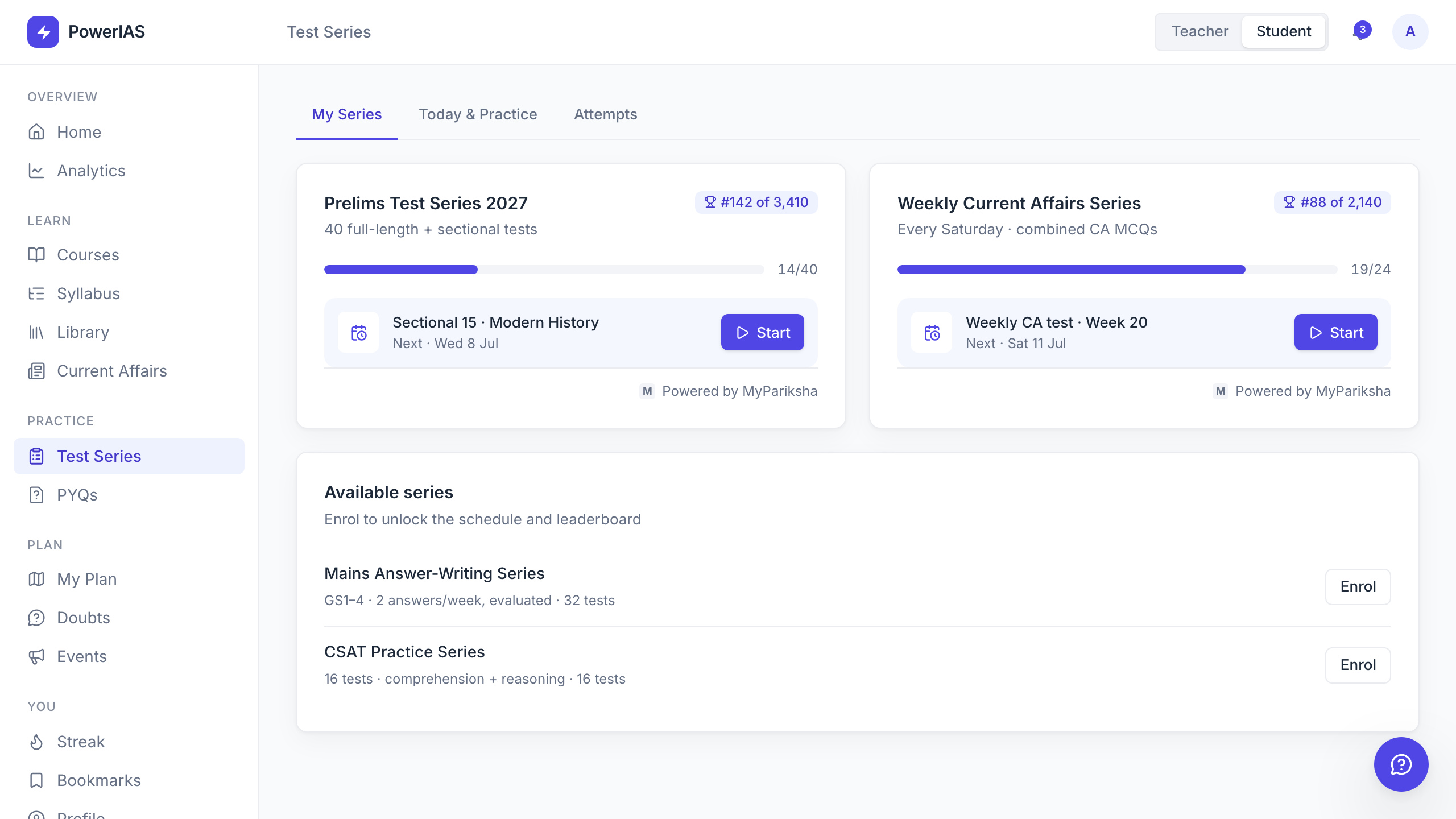
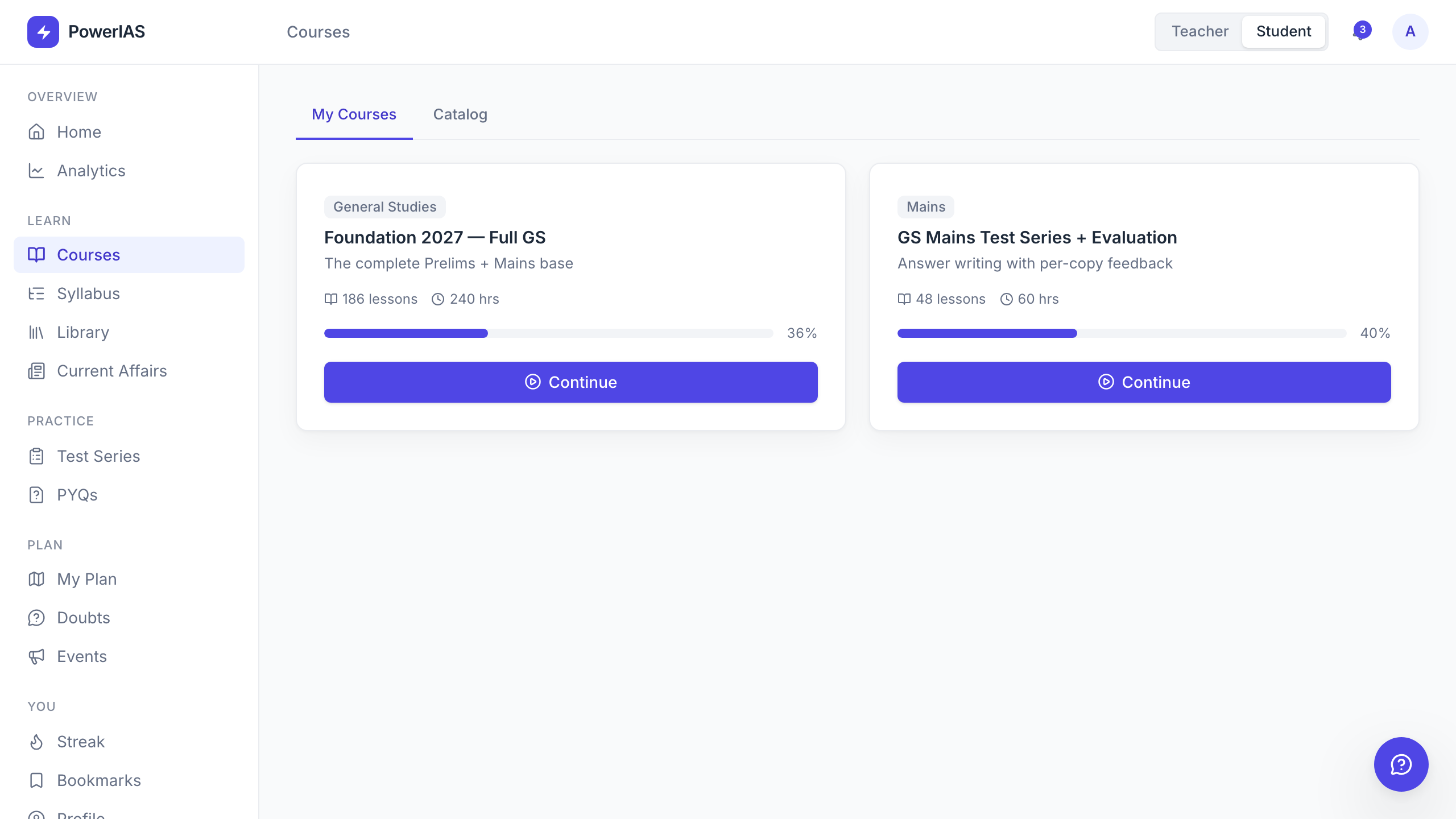
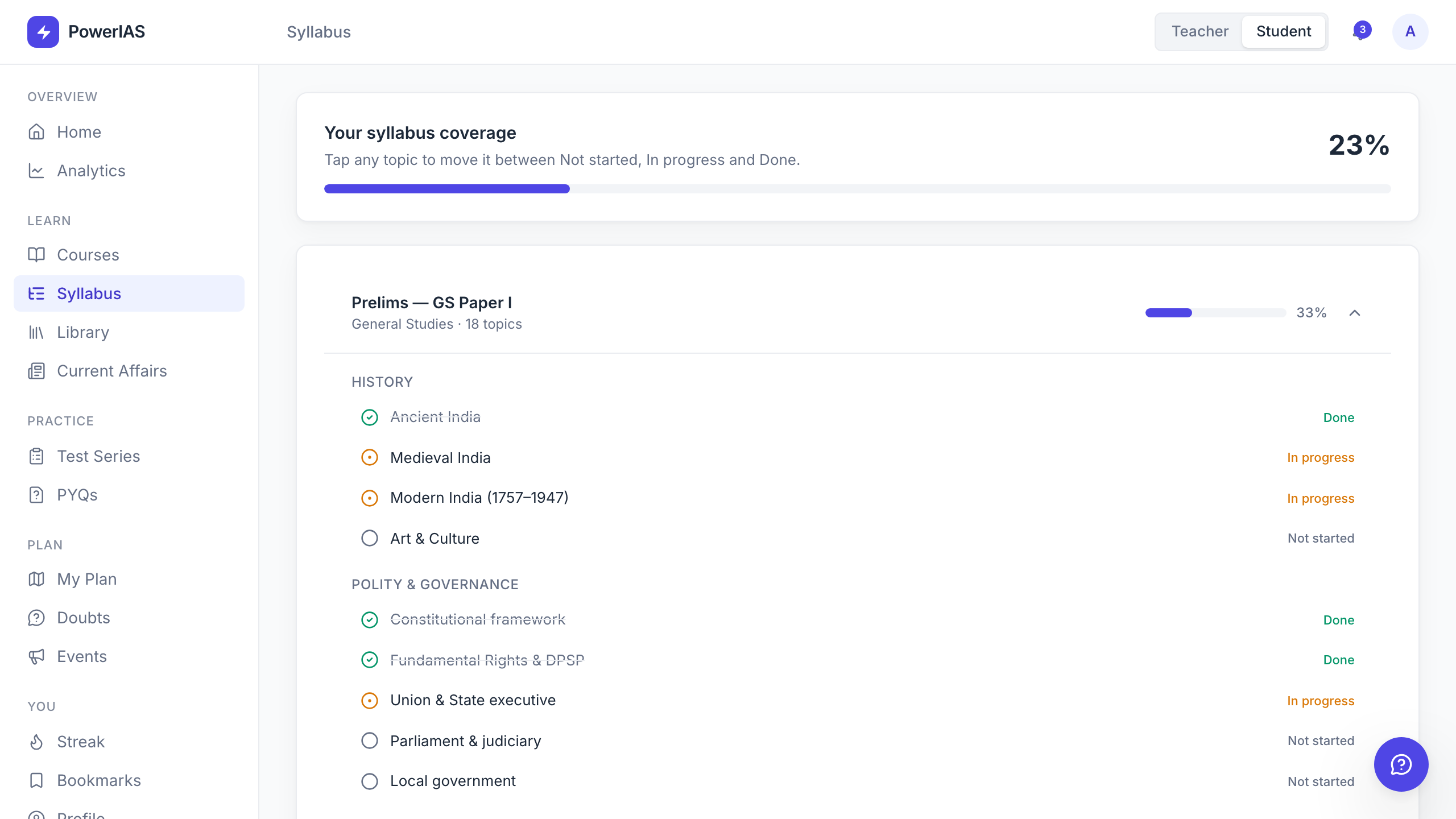
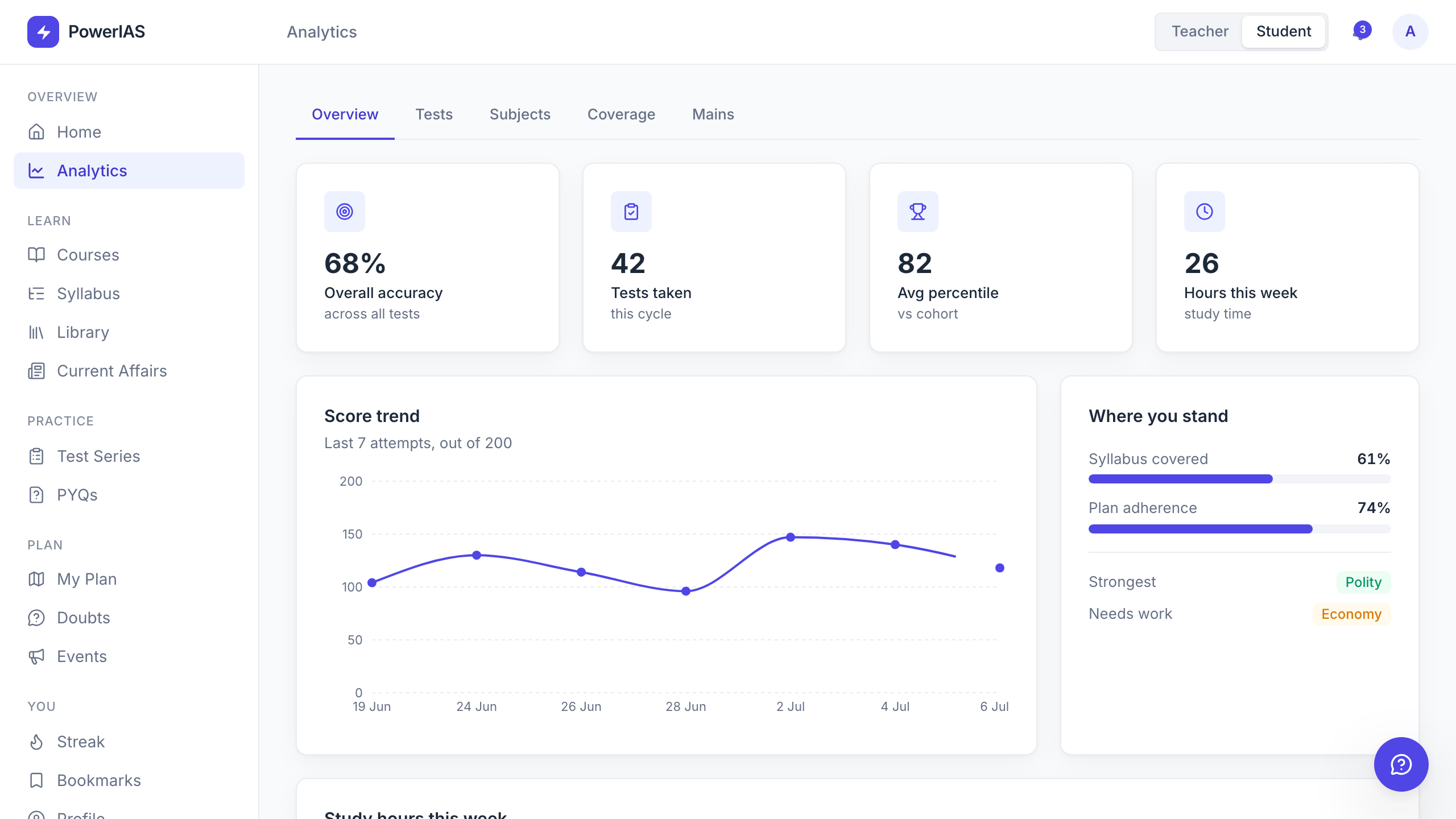
Courses, syllabus, tests, previous-year questions, current affairs, and analytics are useful only when they reinforce one another. Shared subject language and progress states let students move between learning, practice, and reflection without resetting context.
The learning loop
The Mains answer flow is the clearest expression of the product. A student submits work, the system prepares a structured first pass, the mentor reviews it, and the student receives feedback inside the same learning environment.
What the pilot proves
The verifiable outcome is a coherent, navigable prototype across both roles. It makes the product strategy tangible enough to test the workflows, trust boundaries, information structure, and visual language.
From operational overview and inbox triage to content, students, mentorship, reports, and schedule.
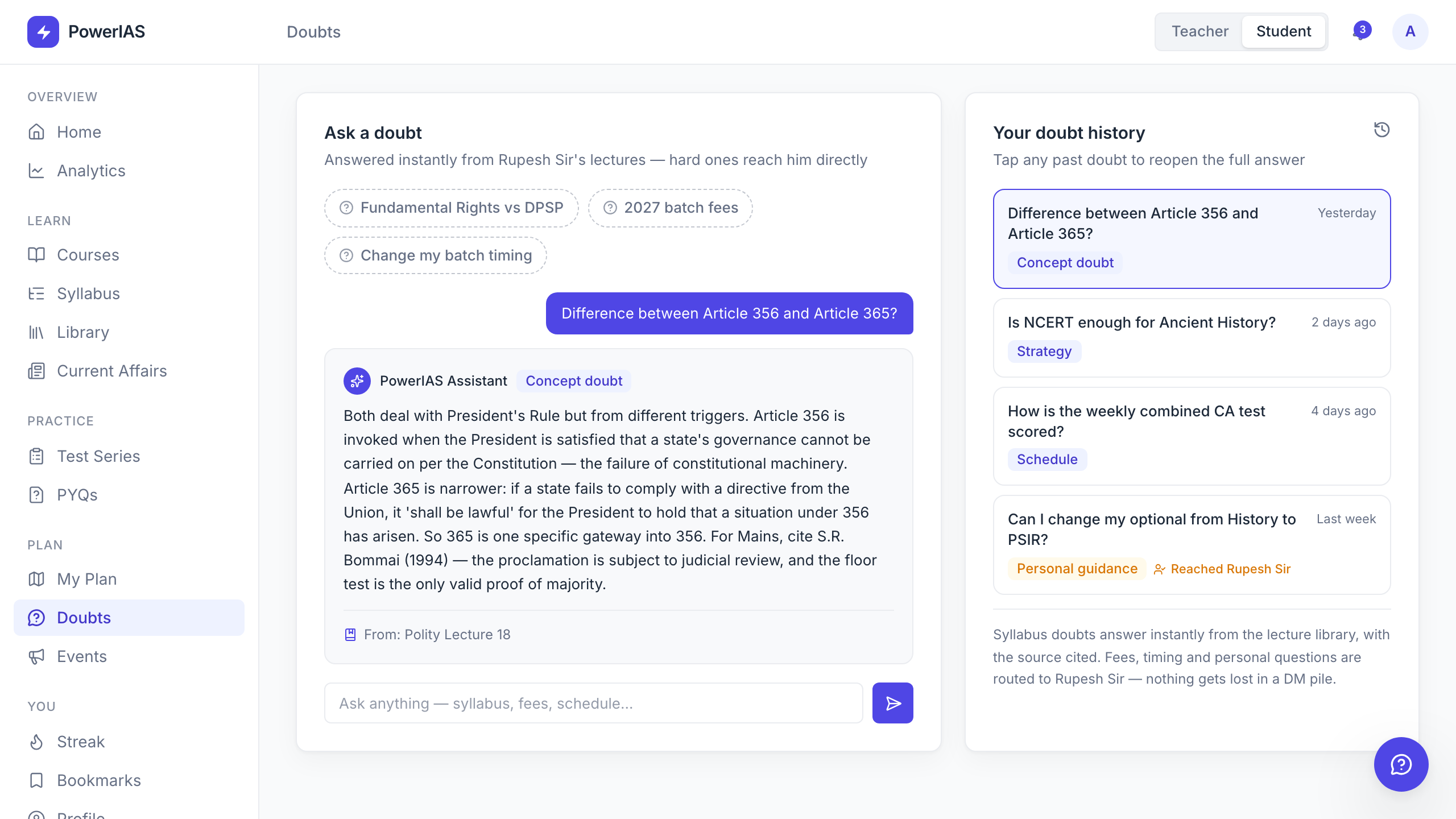
Daily learning, courses, tests, syllabus, PYQs, analytics, plans, events, doubts, and profile.
Work-done counters, reviewable Mains evaluation, and a streaming doubt assistant.
Automation needs a visible boundary
The most important design lesson was that trust does not come from hiding automation. It comes from showing what was prepared, why it was prepared, and where a person still owns the decision.
Designing both roles together also changed the quality of each screen. Teacher actions became clearer when I could see the student consequence, and student states became more credible when I could trace where they came from.
The two-sided system
These internal pages matter because the product promise depends on depth. The dashboard is only useful when the work behind it can be opened, reviewed, and continued.